
Is it possible to choose my own phone number?
Yes, with Infimobile, you can choose to keep your existing phone number through a process called number porting.
Port In Your Number:
What Is Number Porting? Number porting allows you to transfer your current phone number to Infimobile when switching carriers. It’s like moving to a new house but keeping your old address for familiarity—no need to learn a new number!
How It Works: During signup, select “Bring Your Number” and provide details like your current carrier, account number, and phone number. Infimobile handles the transfer, ensuring your number stays active. Most carriers support and encourage porting.
Benefits: Keep your contacts updated easily and maintain continuity for personal or business communications.
Here’s a quick and easy guide to port your number to Infimobile.
Step 1 : Log in to Infimobile and purchase your plan with our step-by-step guide.
Step 2 : After purchasing the plan, proceed to the "Activate SIM" section and enter the required details, then select your SIM type—choose Physical SIM if you have one or eSIM if applicable. After that, select "Bring Your Number" to port in your number.
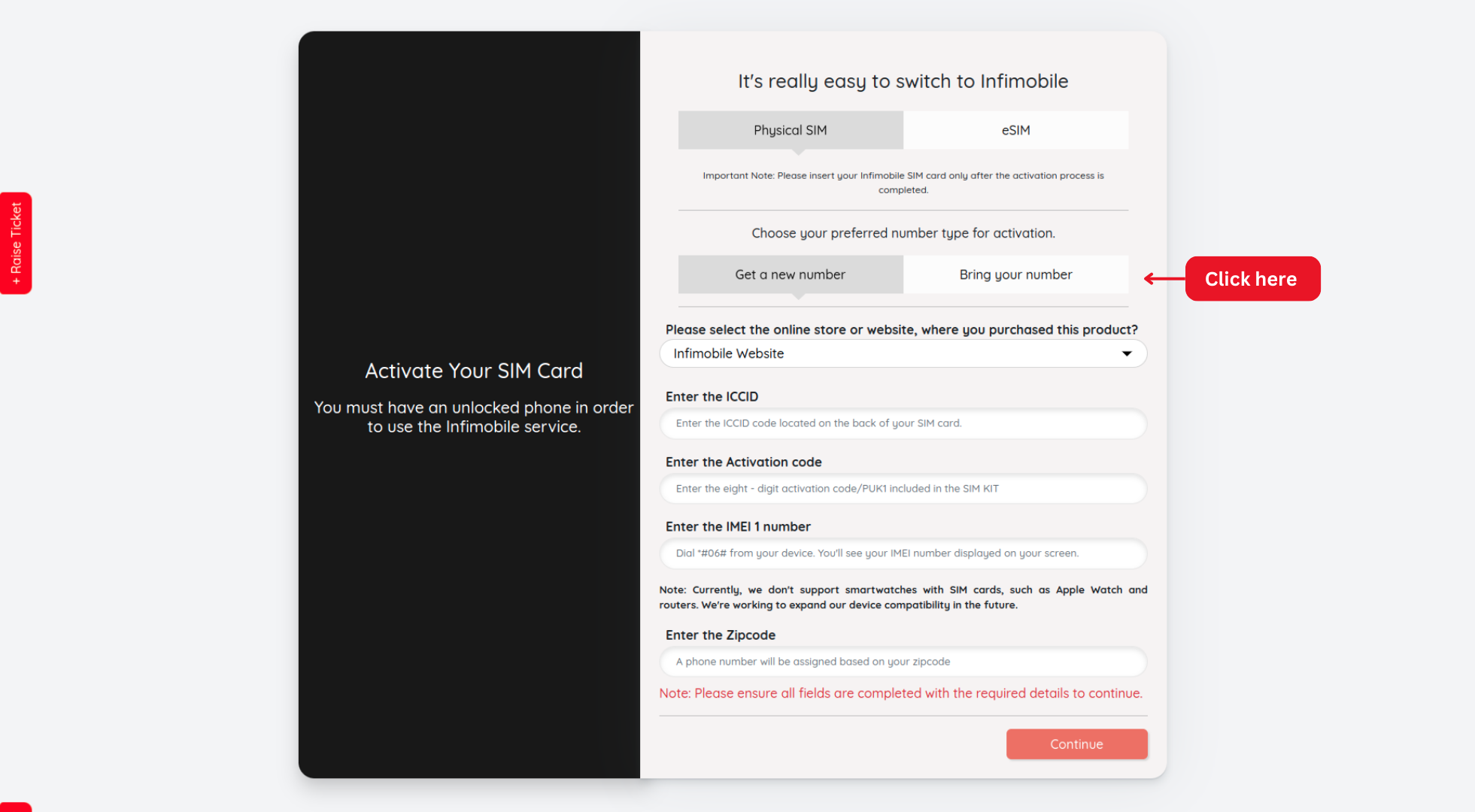
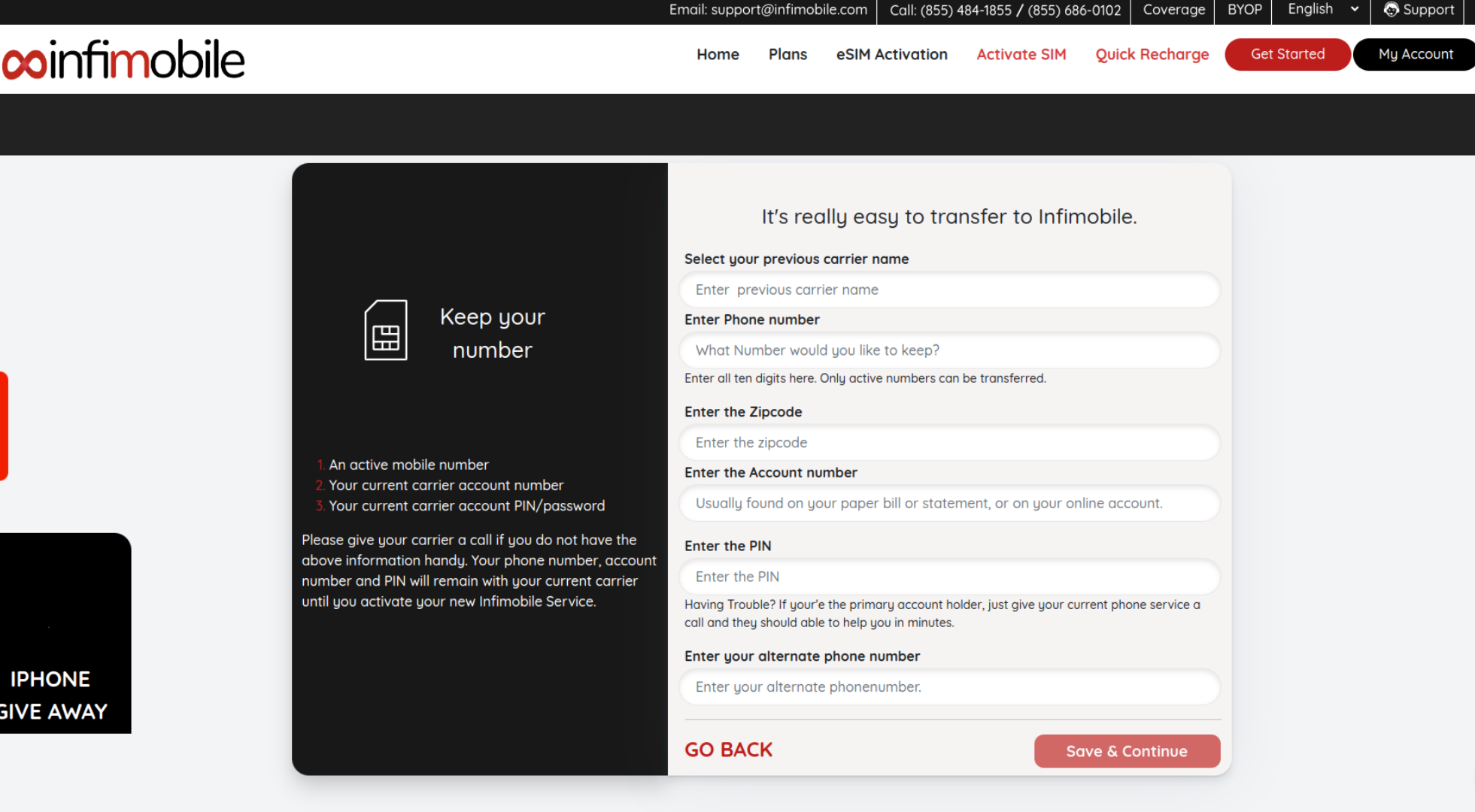
Step 3 : Fill in the required details in the provided fields, ensuring all information is entered correctly.
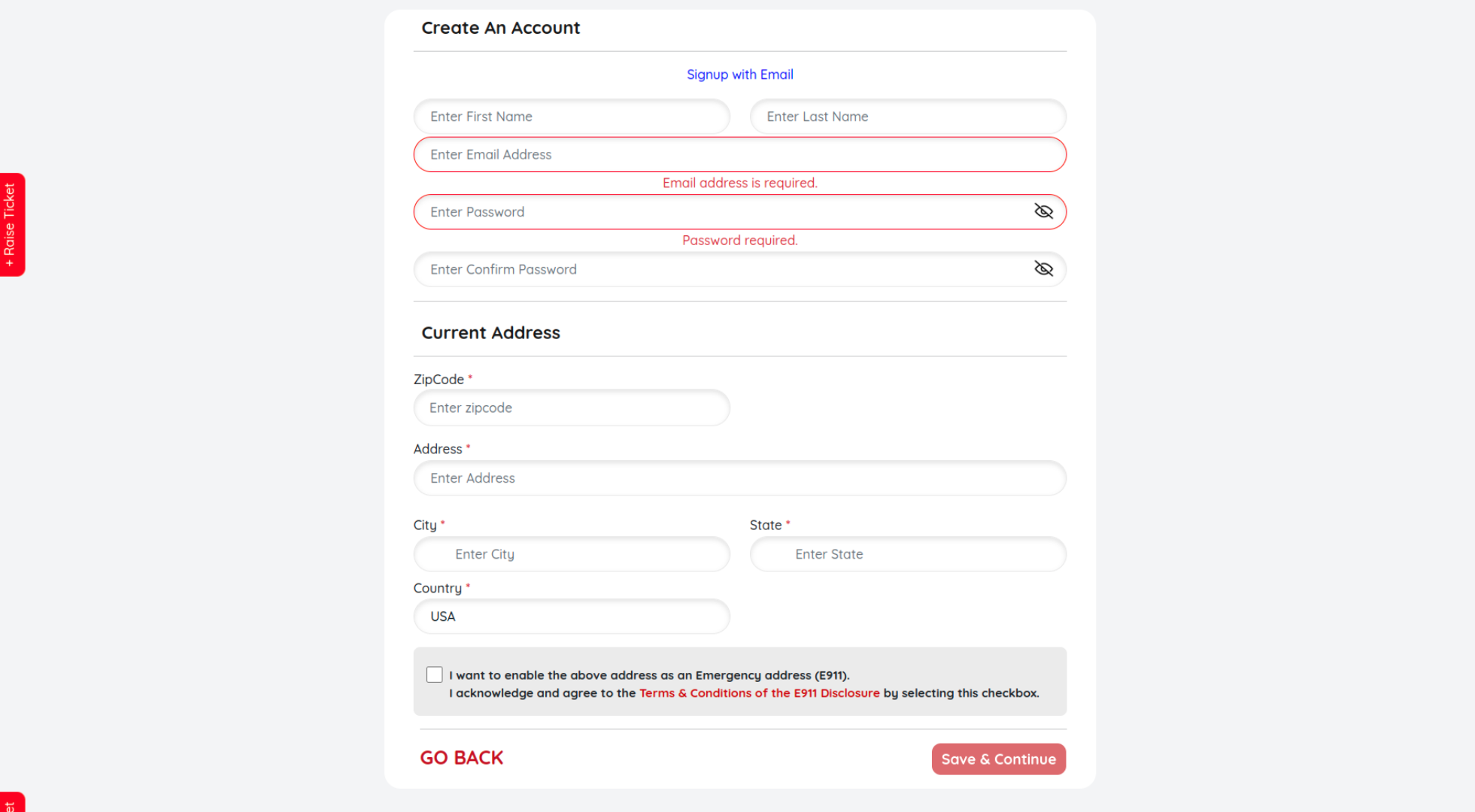
Step 4 : Create your account by entering your email address, setting a secure password, and providing your current address details and click Save and Continue
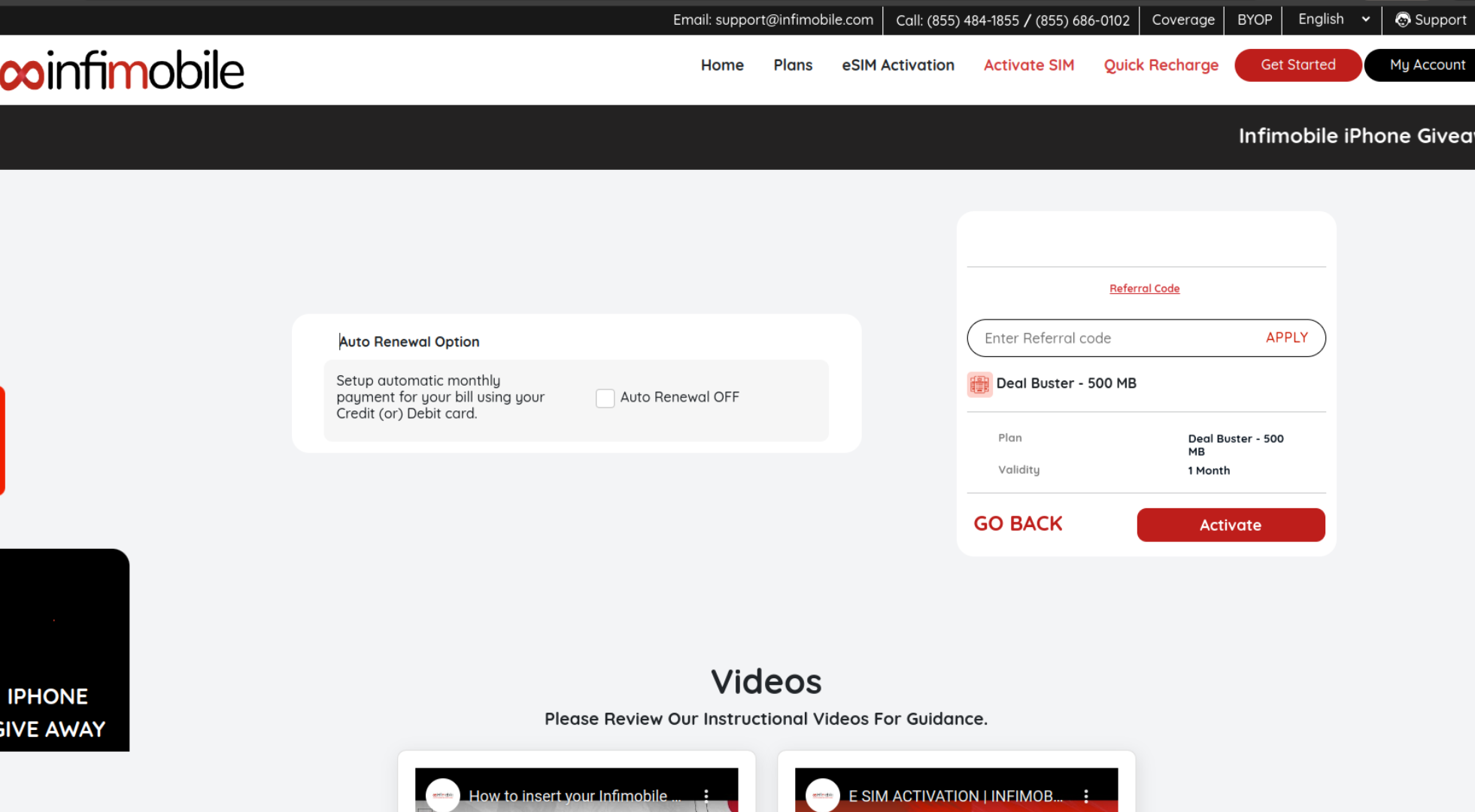
Step 5 : If you have a referral code, enter it; otherwise, you can skip this step. You may also enable auto-renewal if desired, then click on Activate to proceed.
Step 6 : After clicking Activate, your port-in request will be submitted. The completion process may take anywhere from 30 minutes to 48 hours, depending on your previous carrier's transfer policies.
Tips for Keeping Your Number When Switching Phone Carriers
There are a few important things you’ll want to keep in mind when you’re planning to switch from your current wireless carrier to a new one if you want to keep your phone number.
Ensure that your phone is unlocked and compatible with your new carrier.
If you're getting a new phone from your carrier, you can skip this step. But if you're bringing your own phone (BYOP), make sure it's unlocked before porting. Checking this in advance is crucial, as unlocking it after switching carriers can be more difficult.
Keep your current service active until your number transfer is complete.
The most crucial step: Don’t cancel your current service before the transfer is complete. If you do, you’ll lose your number, and it may return to its original carrier permanently.
Make sure you have removed all type of protections to port your number successfully.
Your previous carrier may have enabled protections like fraud protection and service protection to prevent unauthorized SIM swaps and safeguard your data.
Make sure you have your current account number and transfer PIN ready.
To transfer your number, you’ll need your account number and number transfer PIN from your current carrier. This PIN may be called an account PIN or porting PIN and is sometimes temporary. It's best to request it when you're ready to start the transfer, as you may need to contact your carrier to obtain it.
Ensure you have entered the correct ZIP code for a successful port-in.
Make sure you enter the correct ZIP code that is compatible with our service. If your current ZIP code isn’t supported, try using the nearest ZIP codes to complete the port-in process.
Need Help?
If you encounter any issues during the activation process, feel free to reach out to our customer support (855) 484-1855 / (855) 686-0102 or email support@infimobile.com. for assistance.