
Auto-Renewal: What It Does & How to Enable It
Auto Renewal is a service that automatically charges a saved credit or debit card to renew your phone plan before its expiration date.
Your saved payment method will be charged via Automatic Plan Renewal 5 days before the end of your billing period, with the renewed plan activating once the current cycle concludes. For instance, if your plan ends on the 30th, the charge will occur on the 26th.
Here’s how to set up Automatic Plan Renewal for your Infimobile account
Activate Auto Renewal
Log in to your Infimobile account.
Navigate to the "Usage" section from the dashboard.
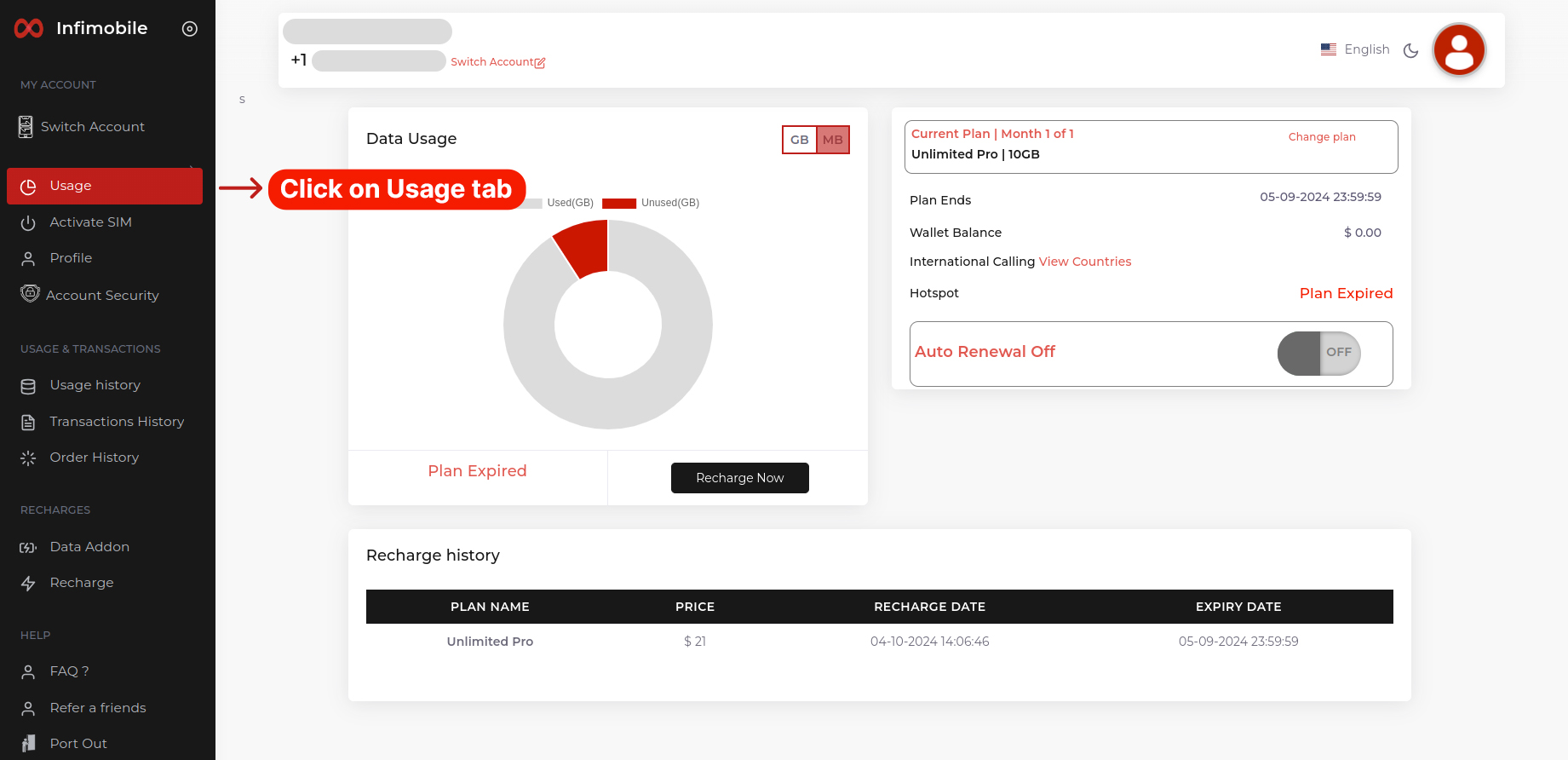
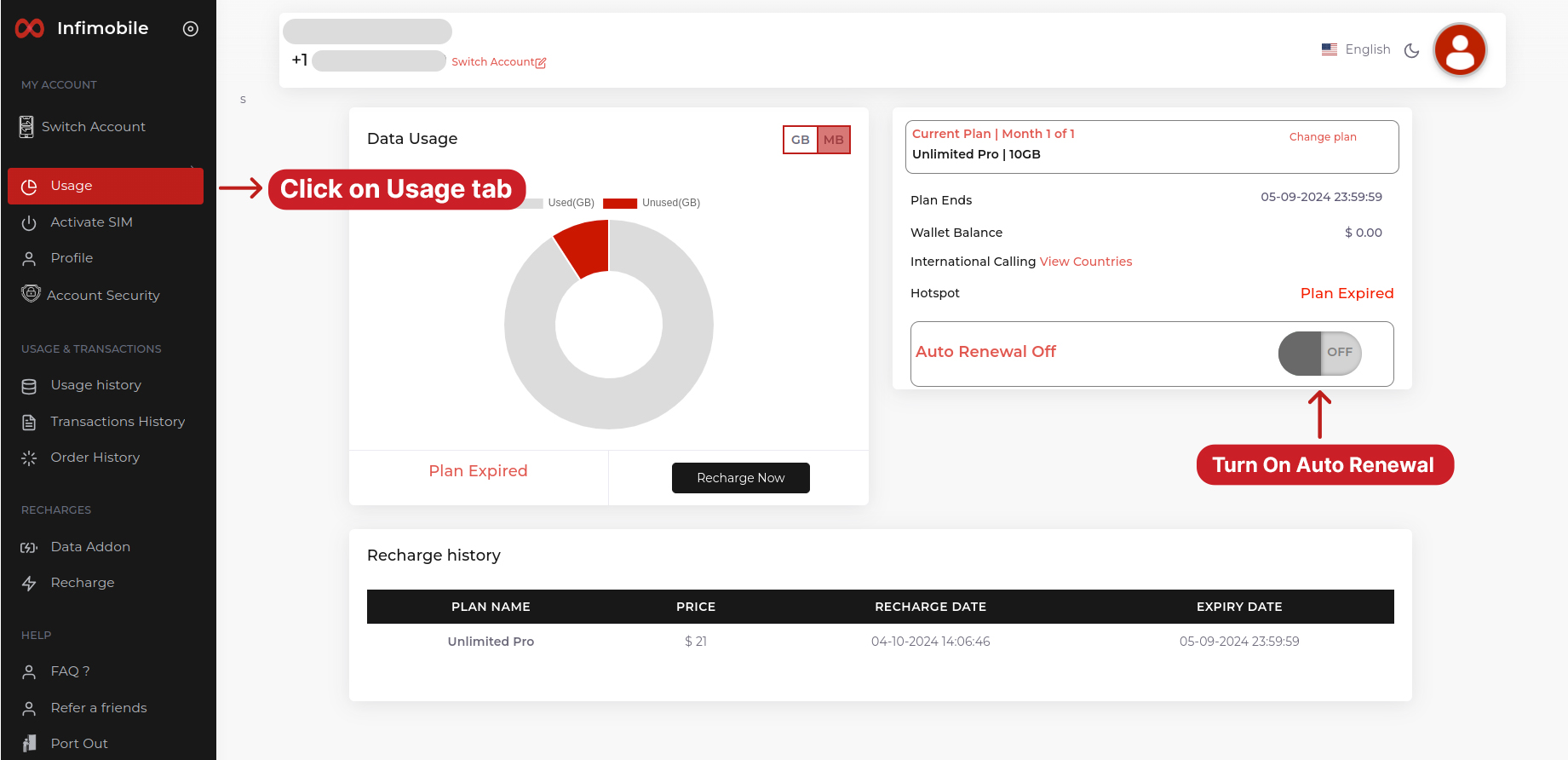
Locate the Auto Renewal Off Plan Renewal switch and slide it from OFF to ON.
You will be redirected to the billing page—enter your address and card details for payments, then save your settings.
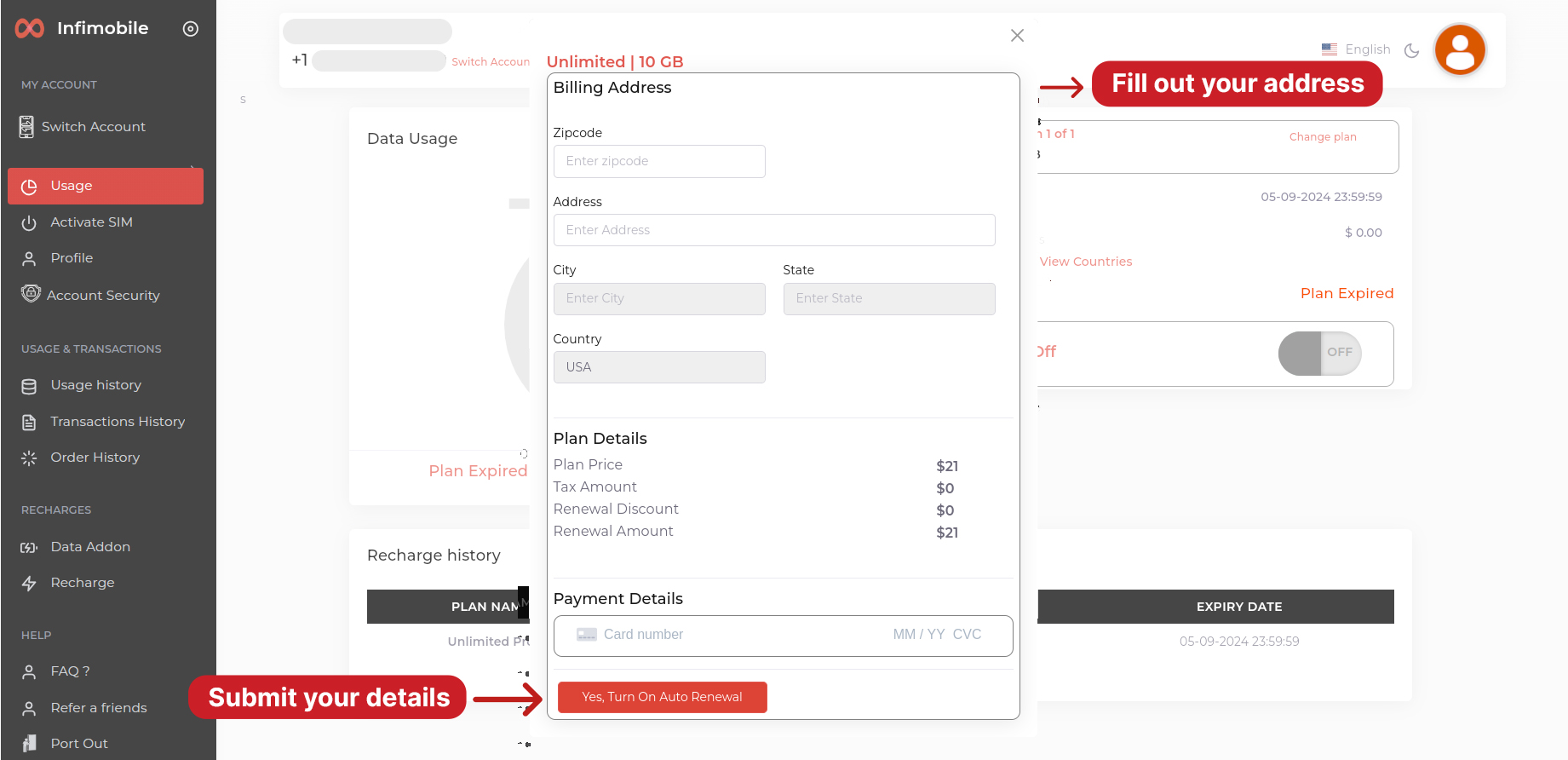
After submitting the details, click on "Yes, Turn On Auto Renewal" to confirm
Once completed, your plan will renew automatically, and you’re all set!
Disable Auto Renewal
Log in to your Infimobile account.
Navigate to the "Usage" section from the dashboard.
Locate the Auto Renewal switch and slide it from ON to OFF
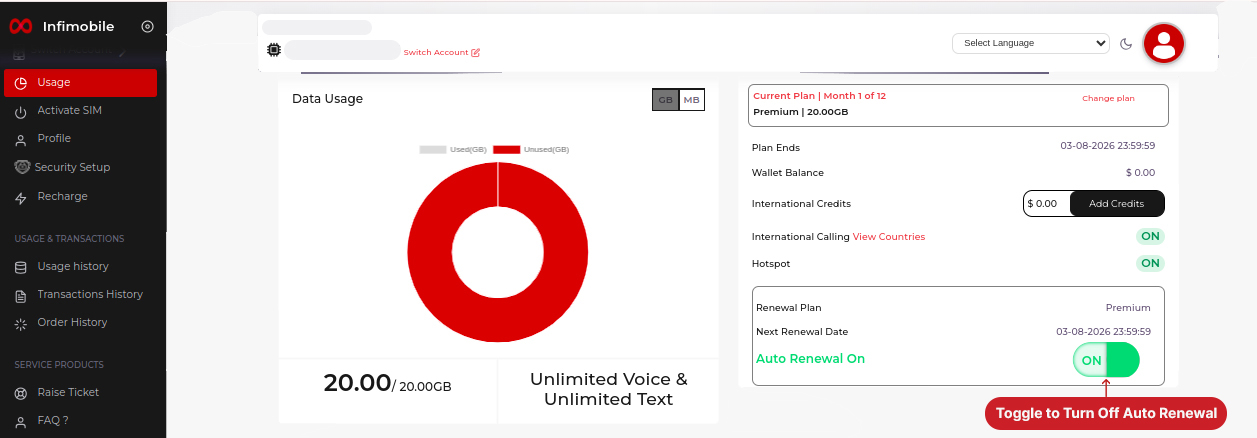
The Auto Renewal features is successfully disabled
Renew plan for the Next month
Your current plan will automatically continue with the same settings.
For multi-month plans, the renewal will kick in once the last month of your plan concludes.