
📵 How to Address Spam Calls on Android and iPhone
Spam calls are annoying—and in some cases, dangerous. Fortunately, both Android and iPhone offer built-in features and app-based tools to help you identify, block, and report spam callers.
📱 For Android Users
✅ 1. Enable Caller ID & Spam Protection (Google Phone App)
Most Android phones use Google’s Phone app, which includes spam protection features.
Steps:
Open the Phone app
Tap the three dots (⋮) in the top-right corner
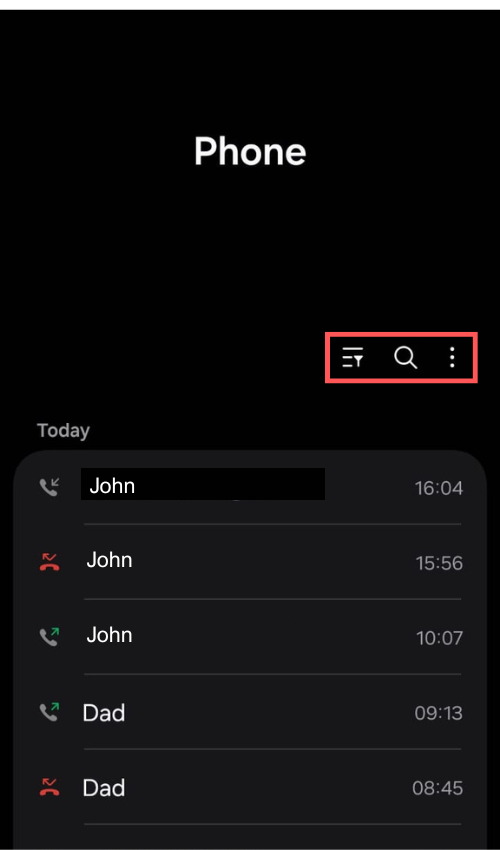
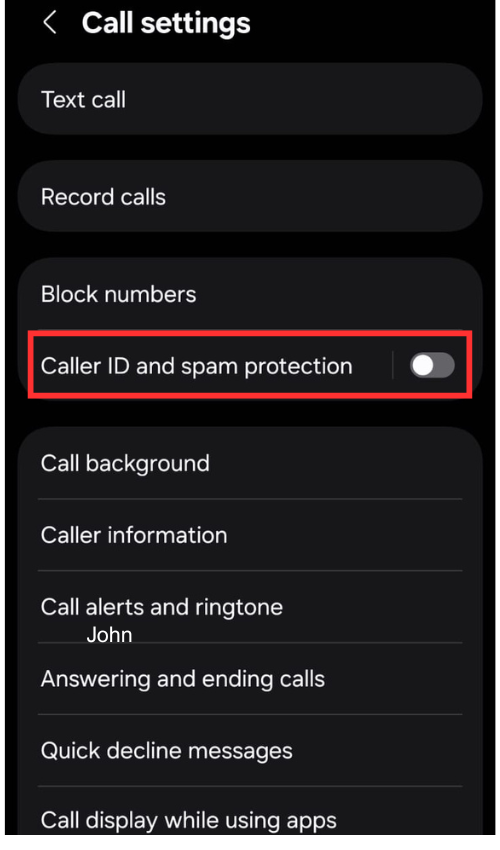
Go to Settings > Caller ID & Spam
Toggle on:
“See caller & spam ID”
“Filter spam calls” (optional – blocks suspected spam automatically)
🚫 2. Block Specific Numbers
Open Phone > Recent calls
Tap the number you want to block
Select Block/report spam
📲 3. Use Third-Party Apps
Apps like Truecaller, Hiya, and Call Control provide real-time spam detection, auto-blocking, and caller identification.
🍏 For iPhone Users
✅ 1. Silence Unknown Callers
iOS offers a built-in feature to silence calls from numbers not in your contacts.
Steps:
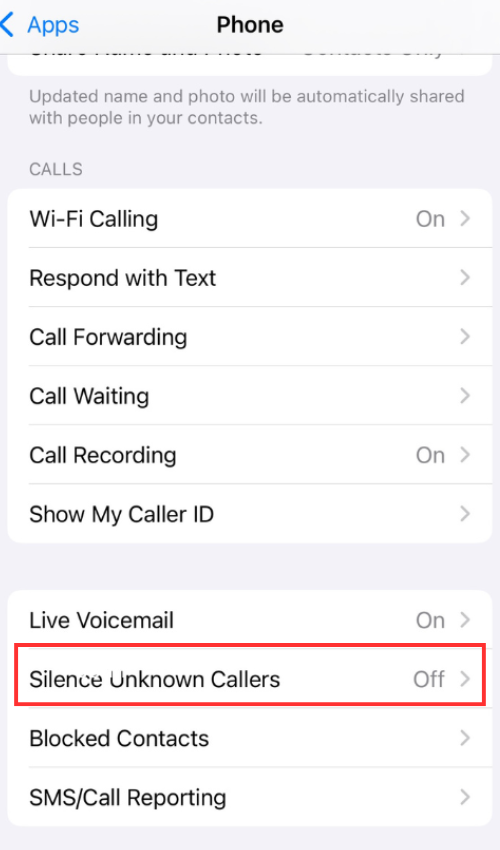
1.Go to Settings > Phone
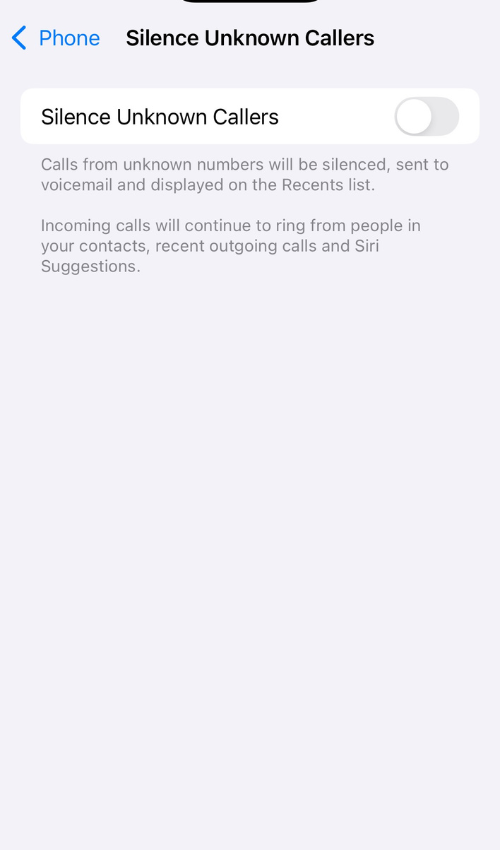
2.Tap Silence Unknown Callers
3.Toggle it on
Calls from unknown numbers will go straight to voicemail, and you’ll see them in your Recents tab.
🚫 2. Block Specific Numbers
Open the Phone app and tap Recents
Tap the info (i) icon next to the number
Tap Block this Caller
📲 3. Use Third-Party Spam-Blocking Apps
Apps like RoboKiller, Truecaller, and Hiya work on iOS as well:
Download the app from the App Store
Go to Settings > Phone > Call Blocking & Identification
Toggle on the app’s call blocking features
💡 Still Tired of Spam Calls?
If spam calls continue despite blocking and filters, you have the option to change your mobile number easily through the Infimobile website.
How to Change Your Number:
Log in to your Infimobile account
Select "Change Number" under Service Products
Complete 2FA authentication
Choose a reason, enter billing and payment details, and submit your request
💲 A one-time $5 fee applies (taxes calculated by ZIP code).
📧 You’ll receive a confirmation email with your new number, which will replace your current one.
📣 Extra Tips
Keep your phone software updated to ensure access to the latest security features.
Register your number on the National Do Not Call Registry (US only): donotcall.gov
✋ Stay Protected
Both Android and iPhone users have great tools to fight back against spam. With just a few settings or a trusted app, you can silence the noise and take control of your calls again.