
Can I Change My Mobile Number?
Yes, you can! Infimobile allows you to change your mobile number directly through our website—no need to visit a store or call customer service.
Changing your number is quick, secure, and fully online.
🔄 How to Change Your Mobile Number on the Infimobile Website
Step 1: Log In to Your Infimobile Account
Go to www.infimobile.com and sign in using your registered email and password.
Step 2: Select “Change Number” from Service Products
Once logged in, navigate to the Service Products section and click on “Change Number.”
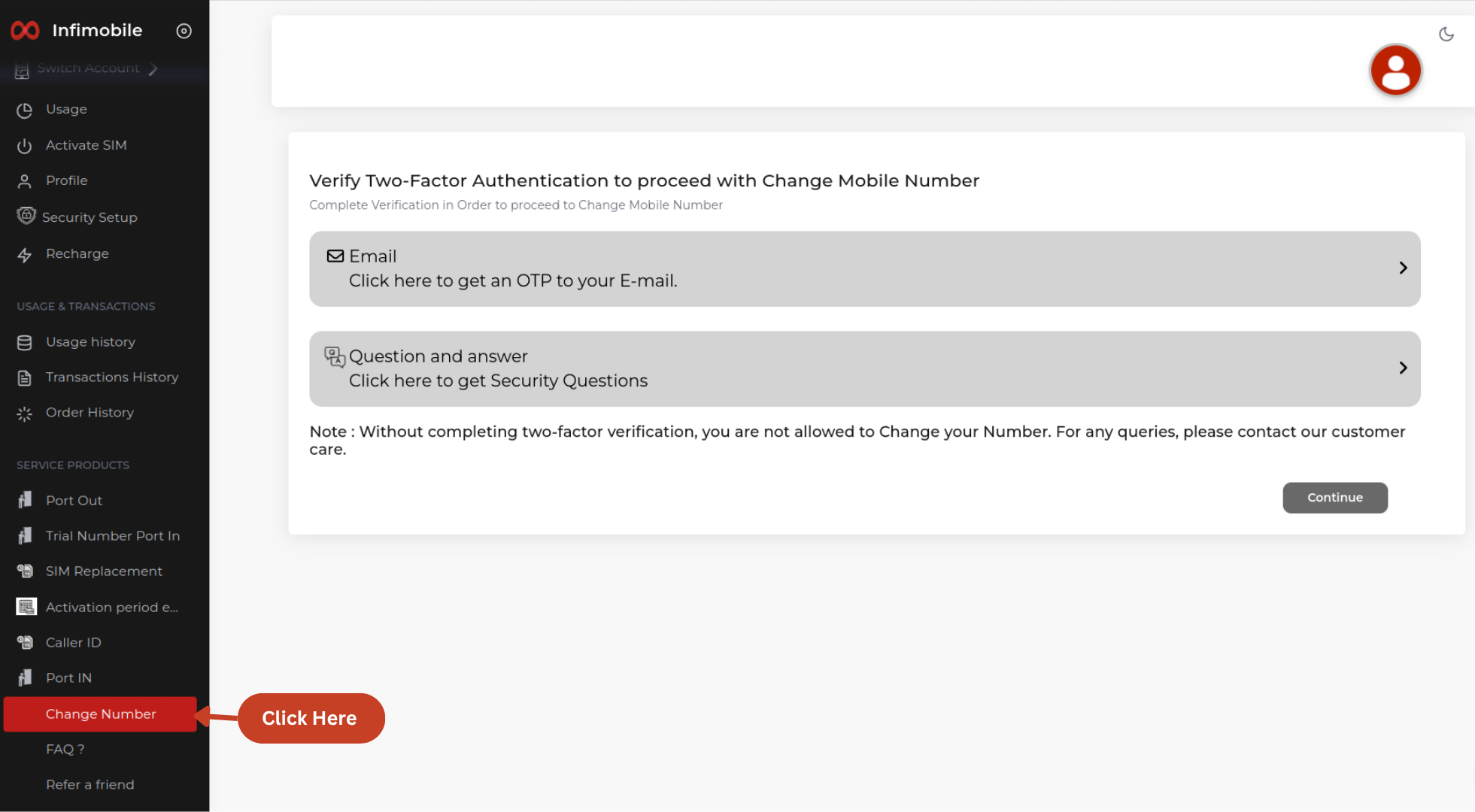
Step 3: Complete 2FA Authentication
To verify your identity:
Choose to receive a verification code via email
Enter the code sent to your email
Answer your security questions exactly as set during your initial setup
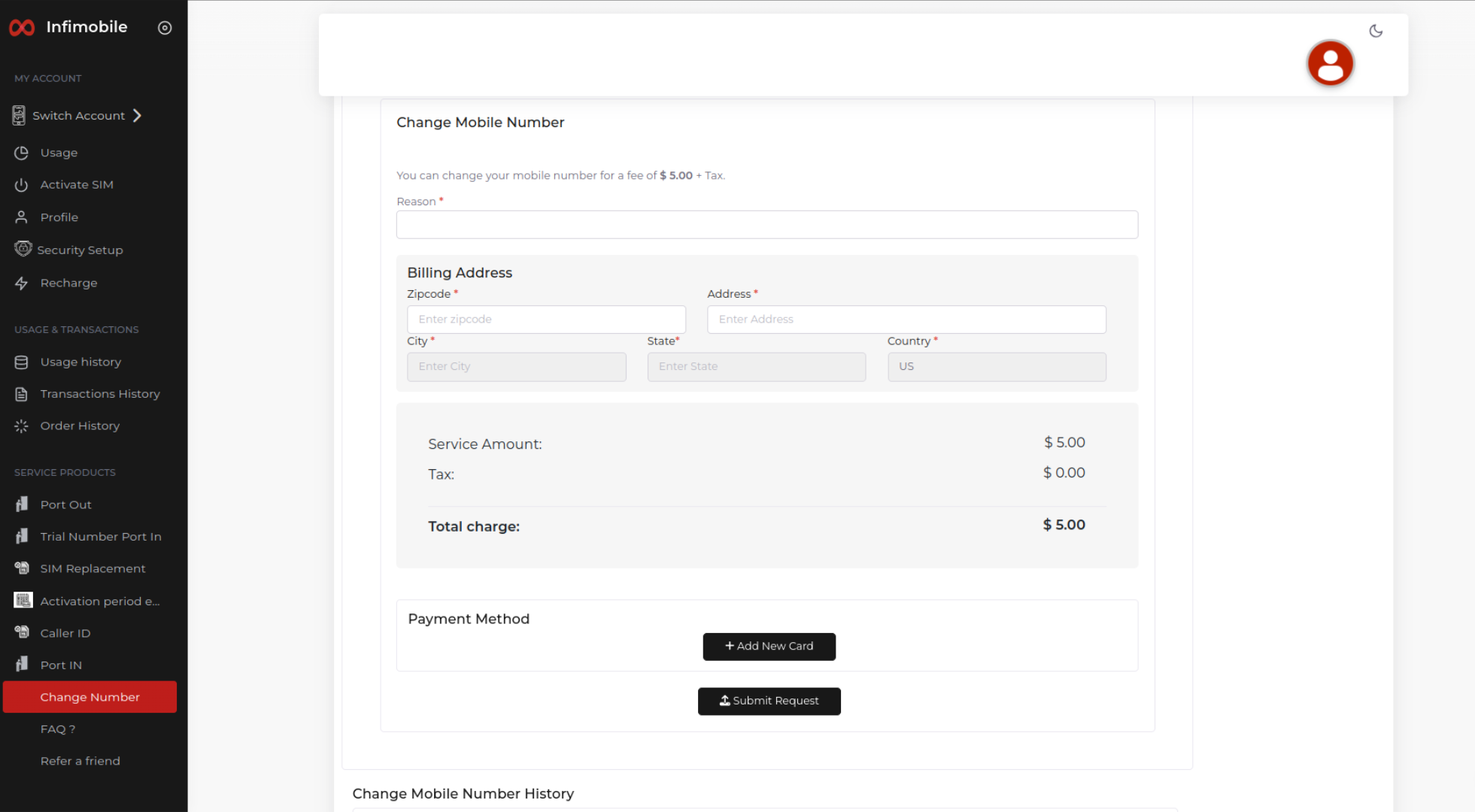
Step 4: Submit Your Request
After successful authentication:
Select the reason for changing your number
Enter your billing address
Provide your card details for payment
Click Submit Request
💲 Service Charge: A one-time fee of $5 applies
🧾 Taxes: Calculated based on your ZIP code
✅ After Submission
A new mobile number will be assigned in place of your old number
You’ll receive a confirmation email with the details of your new number
💬 Need Help?
We’re here to assist!
📞 Call us at: (855) 484-1855 or (855) 686-0102
📧 Email: support@infimobile.com