
How can I update my billing address?
Keeping your billing address up to date is important to ensure smooth transactions, accurate billing, and uninterrupted service. Whether you’ve moved recently or simply need to correct a detail, updating your billing address is quick and easy — and Infimobile is here to guide you through it.
Step 1: Sign in to your Infimobile account and navigate to the My Account section.
Step 2 : Go to the Profile section, where you'll find the following categories:
Account
Address
Security
Payments & Billing
Notifications
Step 3 : Go to Payments & Billing, where you can add your credit or debit cards for billing purposes. You can choose to use either your current address or shipping address as the billing address for each card.
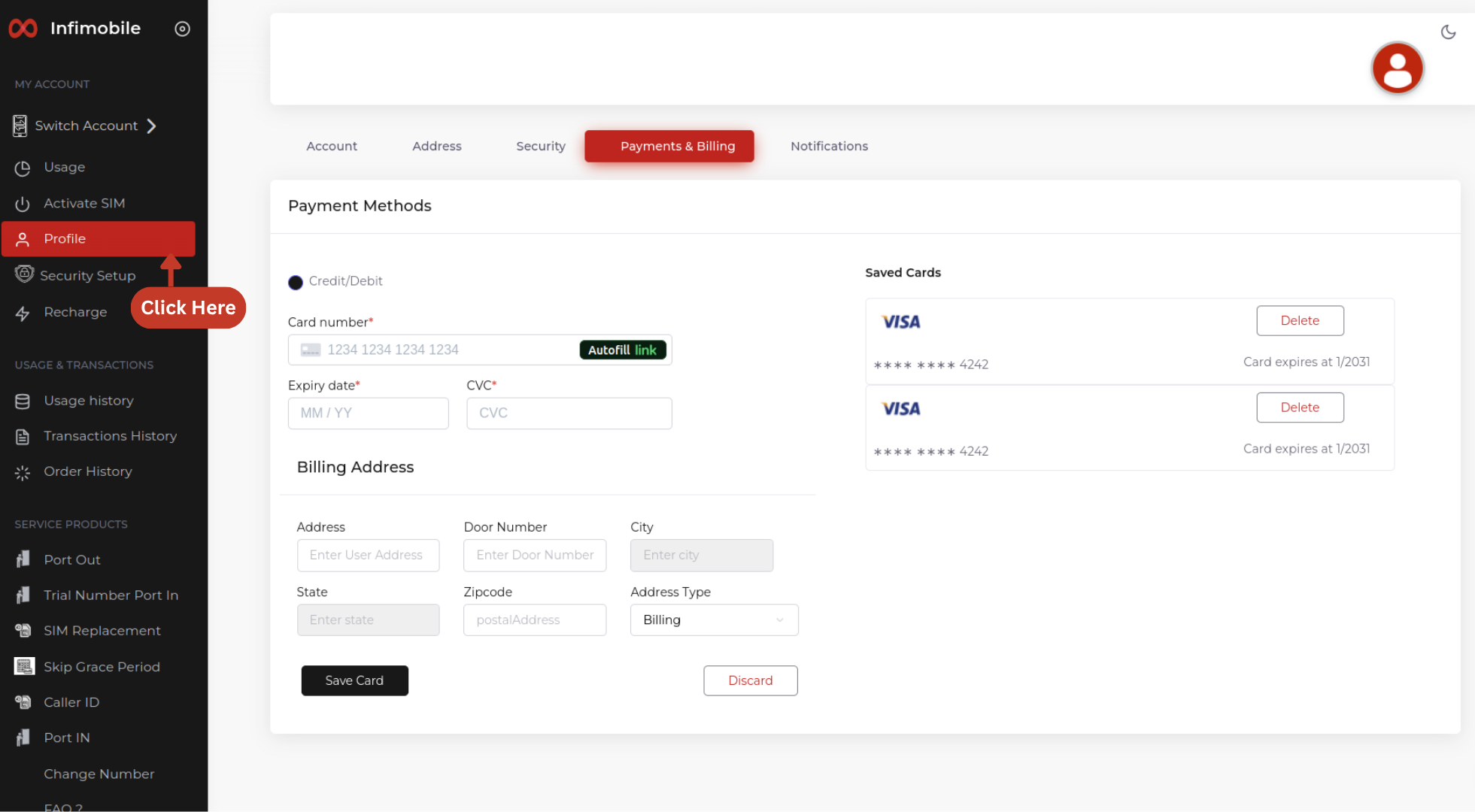
To add or update your address, go to the Address section. Here, you’ll see three types of addresses:
Current Address – This is your default address.
Billing Address – Used for purchases and linked to your payment method.
Shipping Address – This is where your orders are delivered and also used to check service coverage in your area.
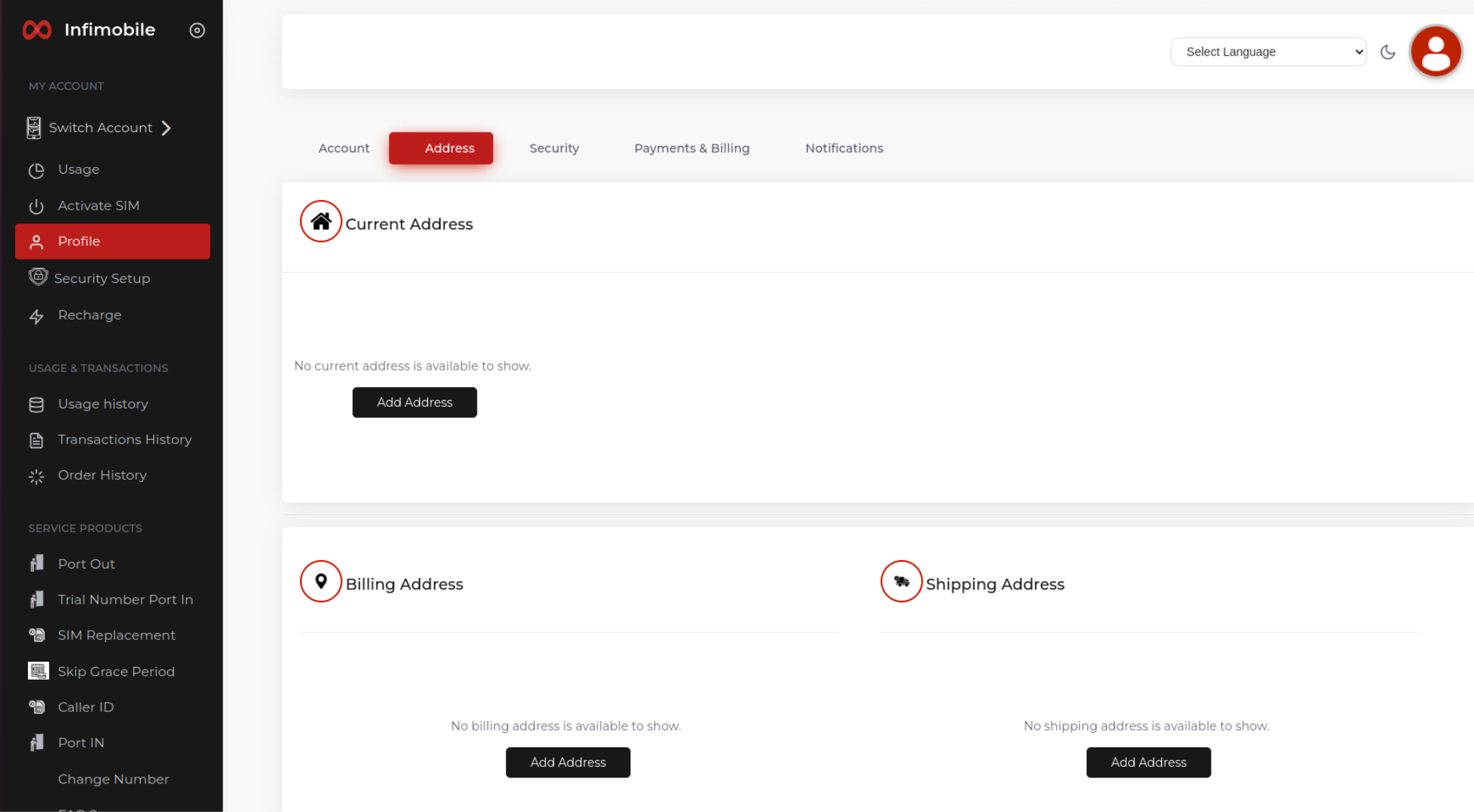
Make sure your shipping address is accurate to avoid delivery or coverage issues.