
How to Turn Off iMessage on Your iPhone
Quickly disable iMessage on your iPhone to use SMS/MMS for your primary number or switch to a non-Apple device. This guide provides simple steps to turn off iMessage in Settings and deregister your number if needed, ensuring seamless texting with plans like Infimobile’s. Get control over your messages in just a few taps!
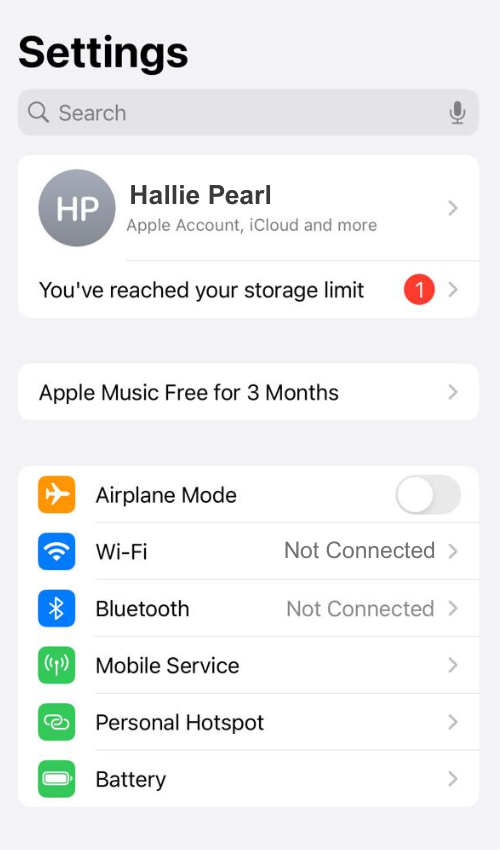
1.Open Settings: Open the Settings app on your iPhone and navigate to Apps
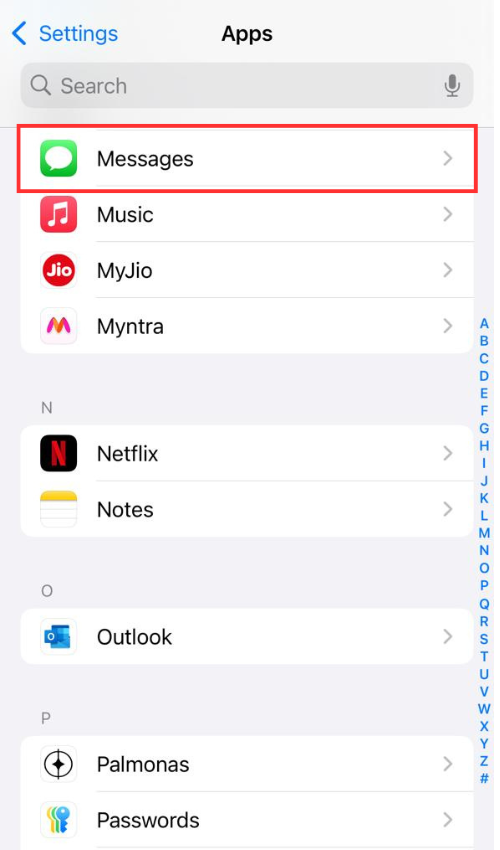
2.Go to Messages: Scroll down and tap Messages.
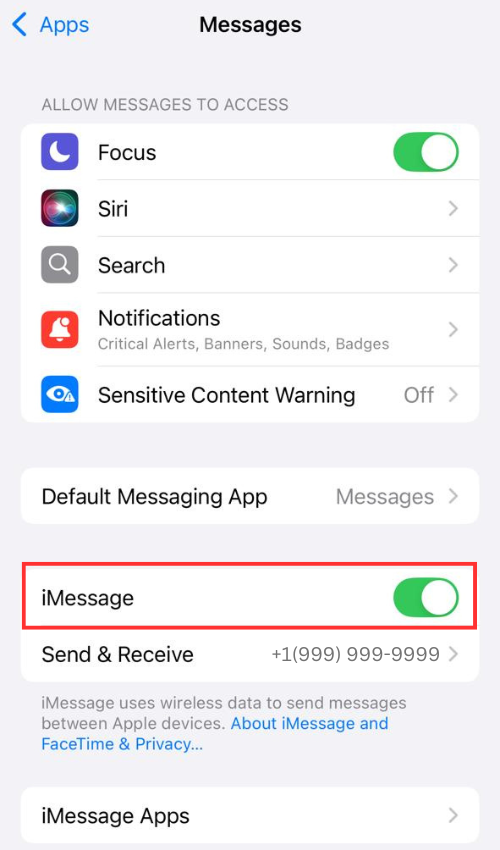
3. Turn Off iMessage: Find the iMessage toggle and switch it to Off. It may take a few seconds to deactivate.
Optional - Disable FaceTime: To avoid related issues (e.g., calls going to other Apple devices):
Go back to Settings > FaceTime.
Toggle FaceTime to Off.
If You’re Switching to a Non-Apple Phone
If you’ve moved your SIM to a non-Apple device (e.g., Android) and aren’t receiving texts from iPhone users, deregister your number from iMessage:
If You Still Have Your iPhone:
Put the SIM back in your iPhone.
Follow the steps above to turn off iMessage.
Remove the SIM after disabling.
If You Don’t Have Your iPhone:
Visit Apple’s deregistration website: selfsolve.apple.com/deregister-imessage.
Enter your phone number and select your country.
Click Send Code and enter the confirmation code sent to your phone.
Click Submit to deregister. It may take a few hours for all Apple devices to recognize the change.
Quick Tips
Test It: Send a text to an iPhone user. It should appear as a green bubble (SMS) instead of blue (iMessage).
Why Disable?: iMessage uses data and may not work with non-Apple devices or if you want to use your primary number for SMS only (e.g., with Infimobile’s unlimited messaging plans).
Contacts Issue: If someone’s iPhone still sends iMessages (e.g., to your iPad), ask them to start a new text thread using your phone number, not your Apple ID email.