
Is It Possible to Switch to a Lower Plan?
Simplify your Infimobile prepaid plan to better suit your needs! With access to T-Mobile and Verizon networks, Infimobile offers flexible plans to match your lifestyle. This guide makes downgrading your plan quick and easy, ensuring you stay connected with the right amount of data and services. Learn how to navigate your account and adjust your plan seamlessly for cost-effective connectivity!
Here's how you can Downgrade your plan:
Step 1 :Sign in to your Infimobile account and navigate to the Quick Recharge section and input your mobile number twice to confirm.
Step 2 :After entering your mobile number, your current plan details will appear and You’ll see six categories .
Renew /Upgrade Plan
Enroll in Auto Renewal
Purchase Data Add-On
Load Wallet
Enable International calling
Enable Hotspot
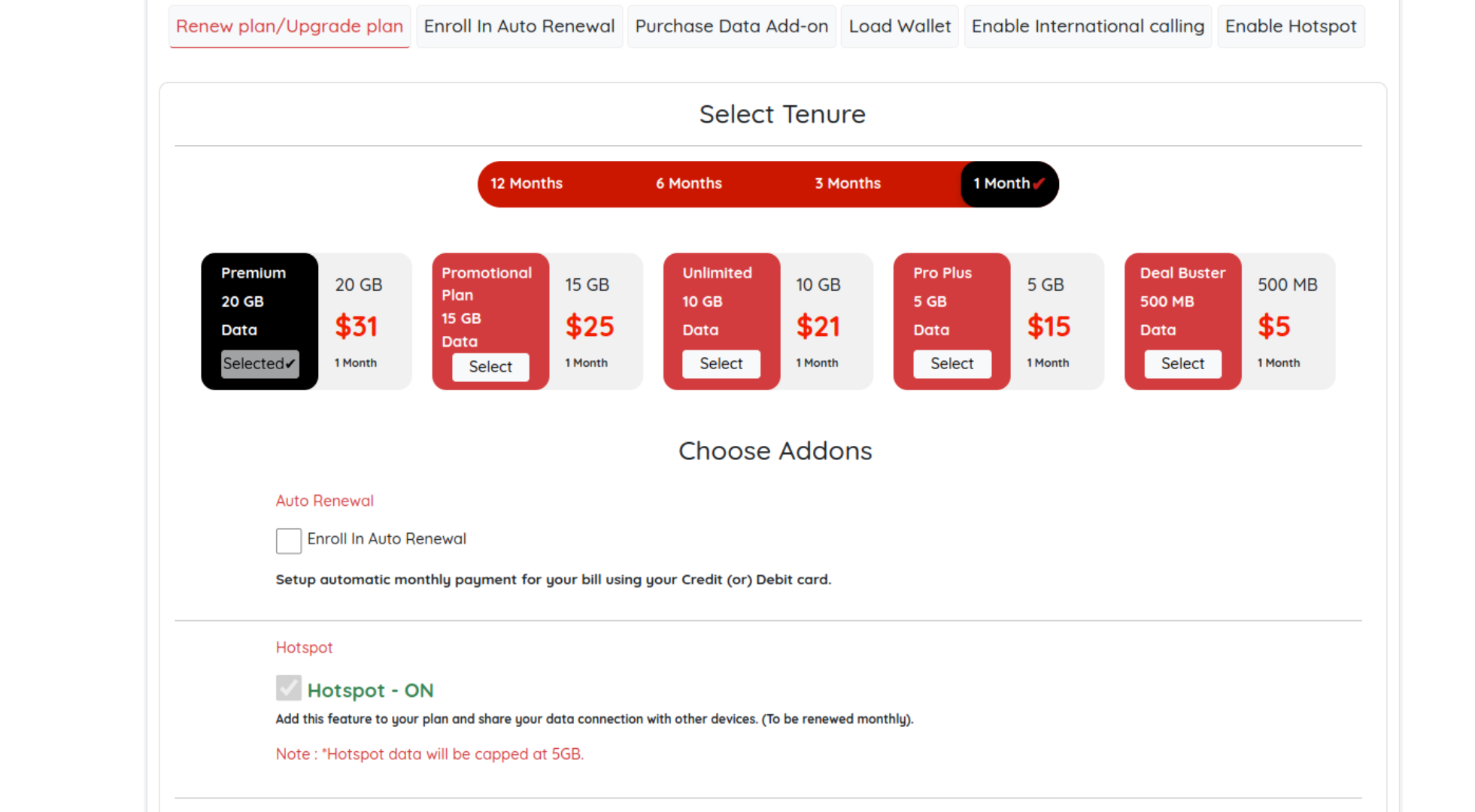
Step 3 : Navigate to the Renew/Upgrade Plan section on infimobile.com. You’ll find a range of plan options—select a plan with a shorter tenure or lower data than your current one to downgrade. Choose the plan and tenure that best fits your needs. If no new plan is selected, your current plan will be upgraded automatically by default.
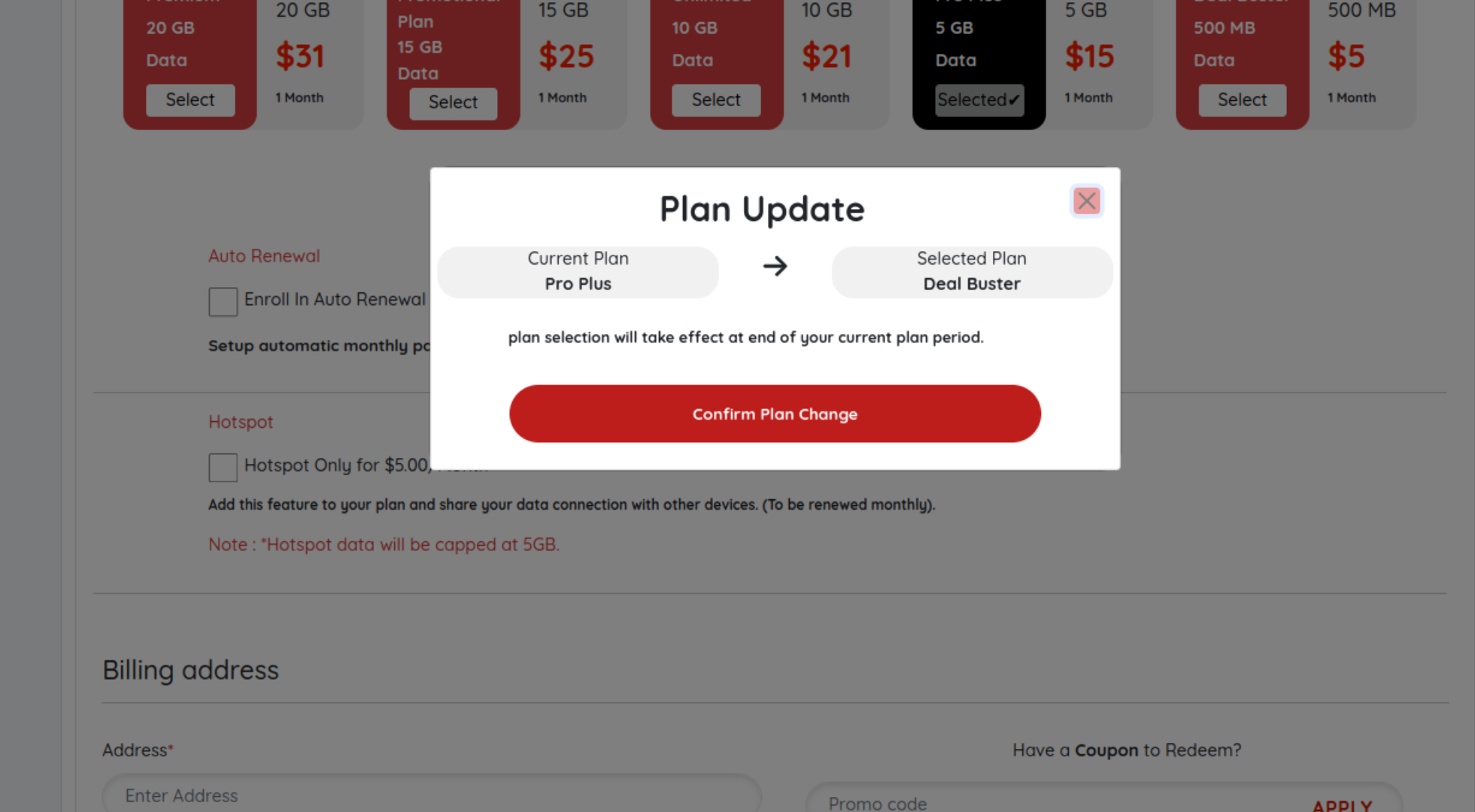
Step 4 : Select Confirm Plan Change to proceed to the billing page. There, input your billing address and provide your payment details to complete the process.
Once the payment is completed, the new plan will be added to your queue and will automatically activate after your current plan expires.
Need Help?
If you encounter any issues during the downgrade process ,feel free to reach out to our customer support (855) 484-1855 / (855) 686-0102 or email support@infimobile.com for assistance.