
Where can I see my previous orders or recharges?
You can check your previous orders and recharges through the Infimobile website. Here’s how:
Go to the Infimobile website and log in to my account.
Navigate to Usage & Transactions.
To view your previous orders, go to the Order History section. There, you can see a list of your past orders along with their current status.
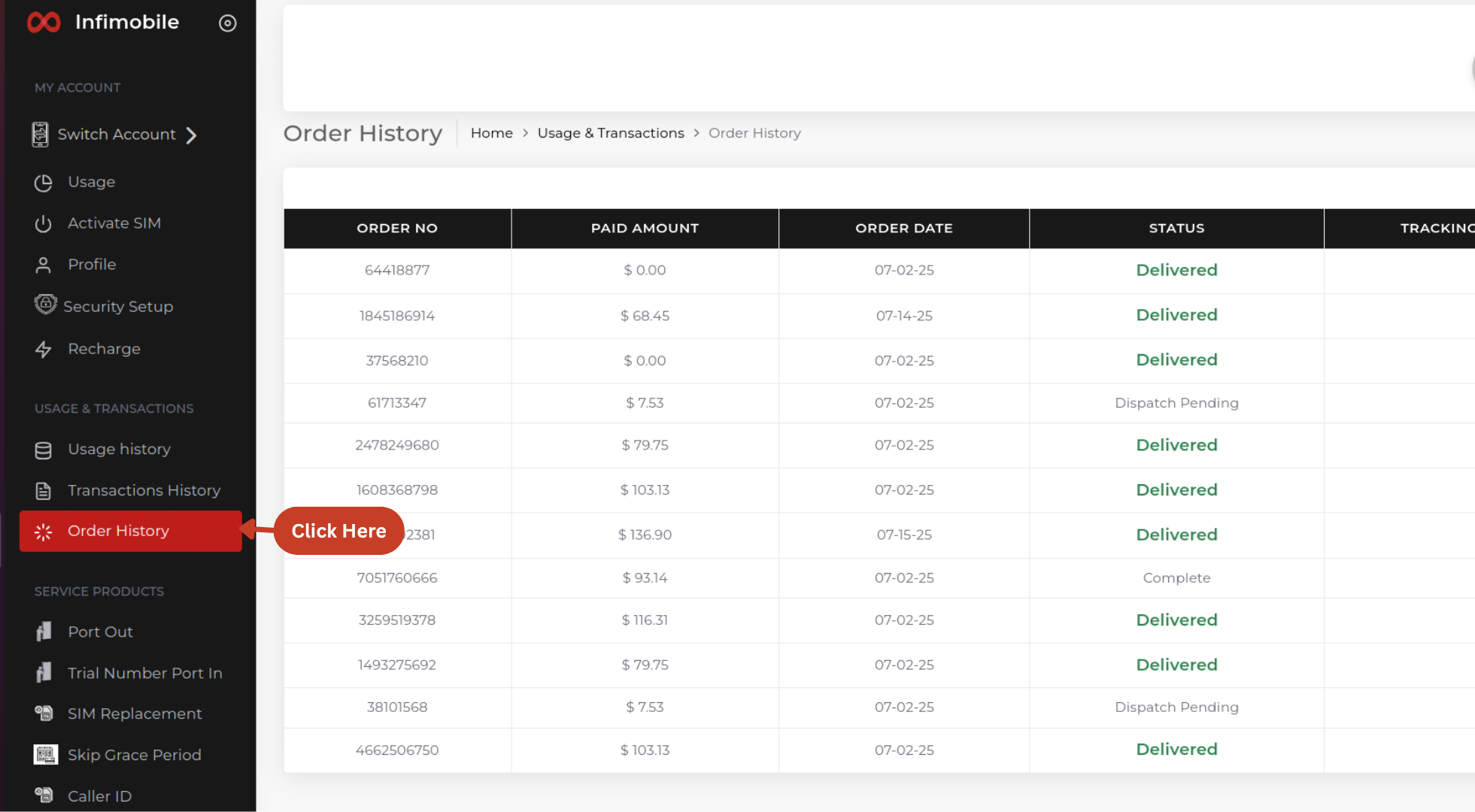
To view your recharges, go to the Transaction History section. There, you’ll find details of your:
Airtime transactions
Referral credits
Bundle recharges
Here’s how each type is shown:
If you recharged using a credit or debit card, it will be listed under Bundle Recharges.
If you purchased a plan using referral credits, it will be listed under Referral Credits.
If you used airtime to recharge or purchase a plan, it will be listed under Airtime Recharges
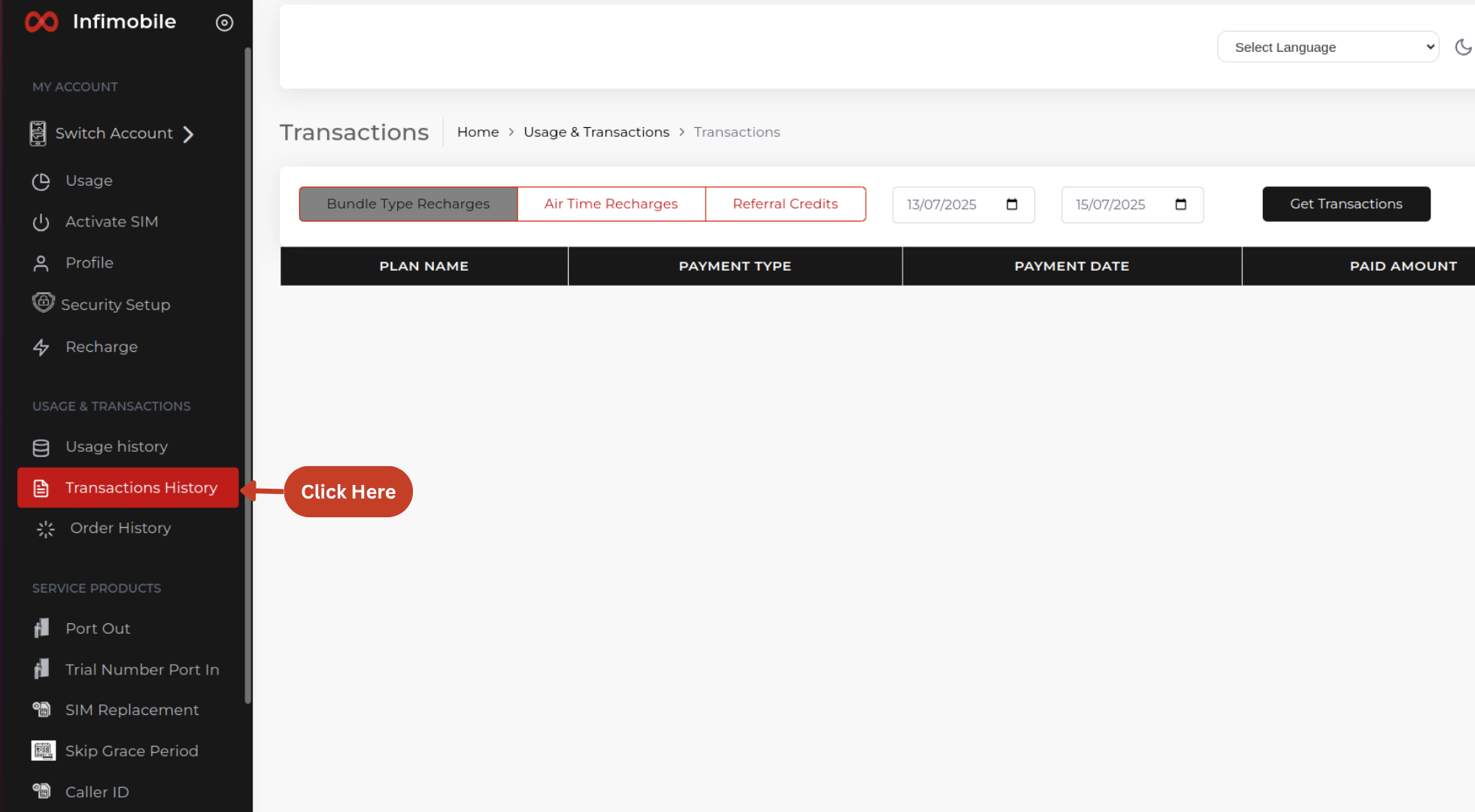
Simply select your desired date range and click "Get Transactions" to view your full history.