
How do I recharge a plan for someone else?
If you’re looking to recharge a prepaid plan for another Infimobile customer, our Quick Recharge feature makes it fast and simple! Whether it’s for a friend, family member, or colleague, you can top up their Infimobile plan in just a few steps, ensuring they stay connected with high-speed data, calls, and texts. Here’s how it works:
Using the Quick Recharge option on the Infimobile website, you can recharge another customer’s plan by entering their 10-digit Infimobile phone number (MDN).
Here's How to Recharge Someone Else's Infimobile Plan
Step 1 :Log in to your Infimobile account, go to the Quick Recharge section, and enter the mobile number twice to verify.
Step 2 :After entering the mobile number, the expired plan details will appear and You’ll see four categories .
Renew /Upgrade Plan
Load Wallet
Enable International calling
Enable Hotspot
Step 3 :Head over to the Renew /Upgrade Plan section. There, you’ll see a variety of plan options—simply choose the one that suits you best, along with your preferred tenure. Unless you select a different plan, your current one will be upgraded by default.
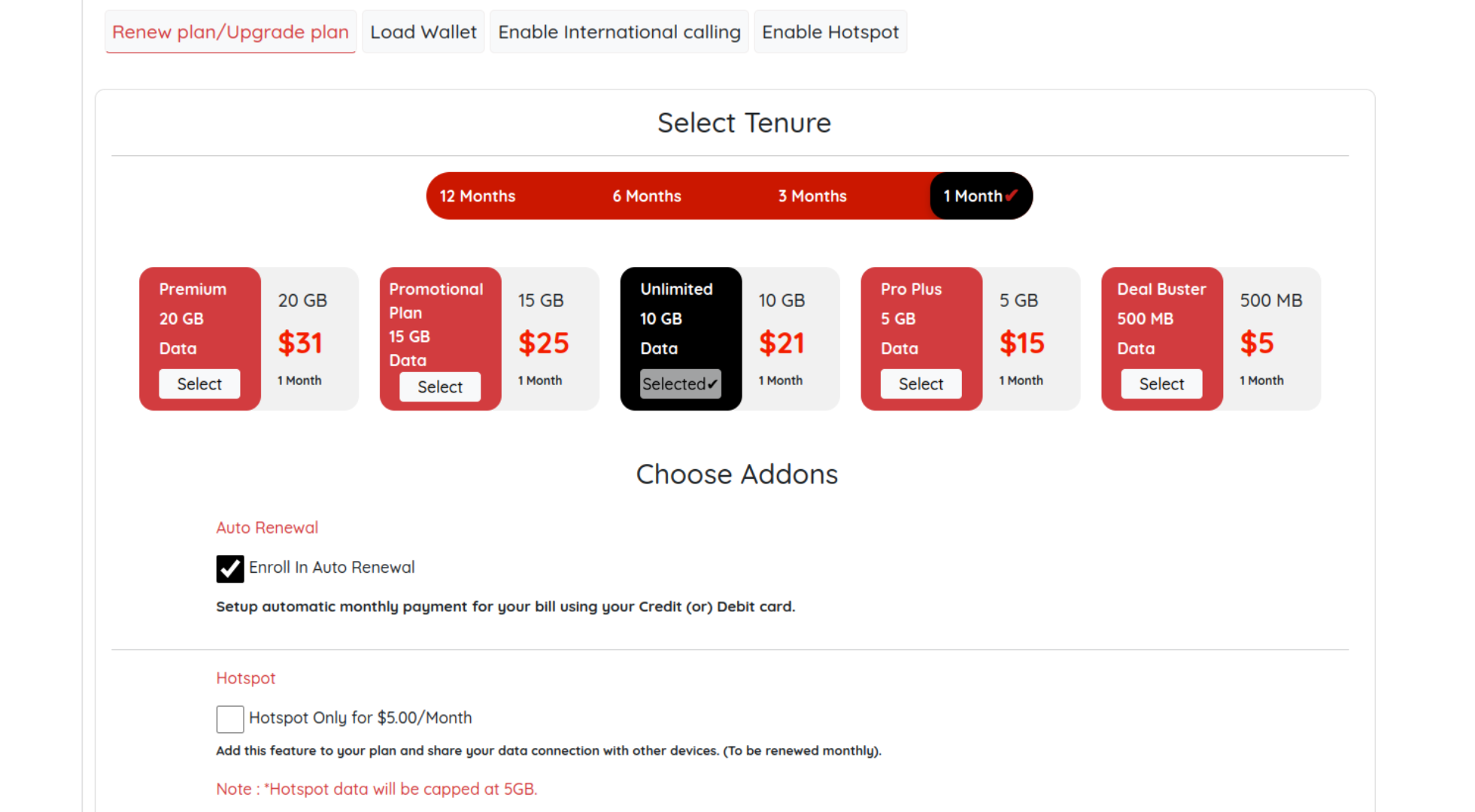
Step 4 :Plan Continuity and Add-Ons
Plan Renewal:
If you want to use your Infimobile plan without interruption, choose auto-renewal to keep your service active.Hotspot Access:
If you’d like to share data with devices, select hotspot access during account management for an additional $5, added to your plan.
Step 5:Please provide your billing address and enter your card details to complete the payment process.
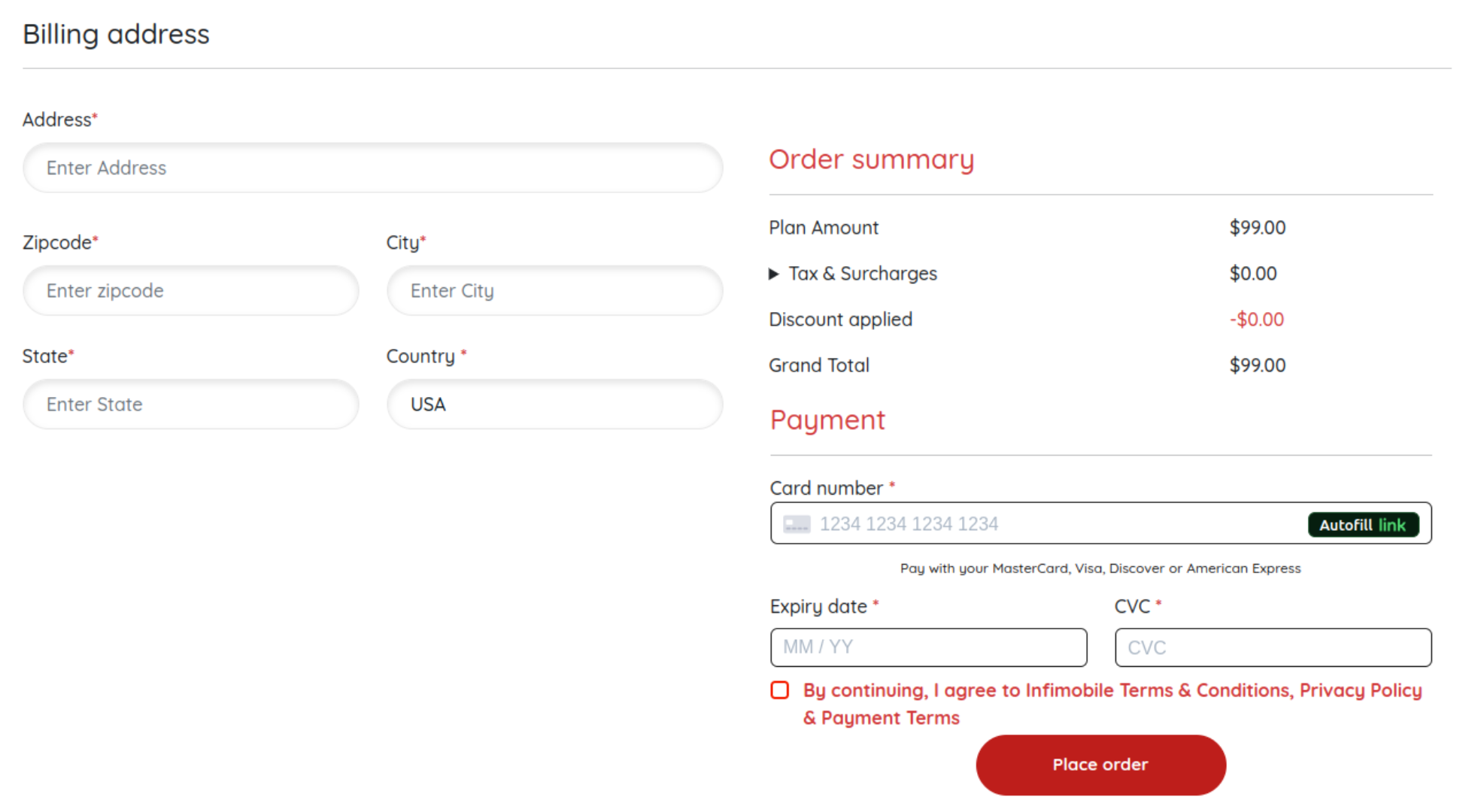
Step 6: After payment is completed, the new plan will be activated on the mobile number, and services will resume seamlessly.
Need Help?
If you encounter any issues during the upgrade process ,feel free to reach out to our customer support (855) 484-1855 / (855) 686-0102 or email support@infimobile.com for assistance.