
Can I use my current phone with your SIM — is BYOD supported?
Wondering if you can bring your current phone to Infimobile? Absolutely, our Bring Your Own Device (BYOD) program makes it easy!This resource explains how to verify if your unlocked phone is compatible with Infimobile’s reliable network. Learn the simple steps to verify your device’s IMEI, and activate it with an Infimobile SIM or eSIM. Whether you’re keeping your number or starting fresh, we’ll help you get connected quickly and hassle-free, all while saving you the cost of a new device!
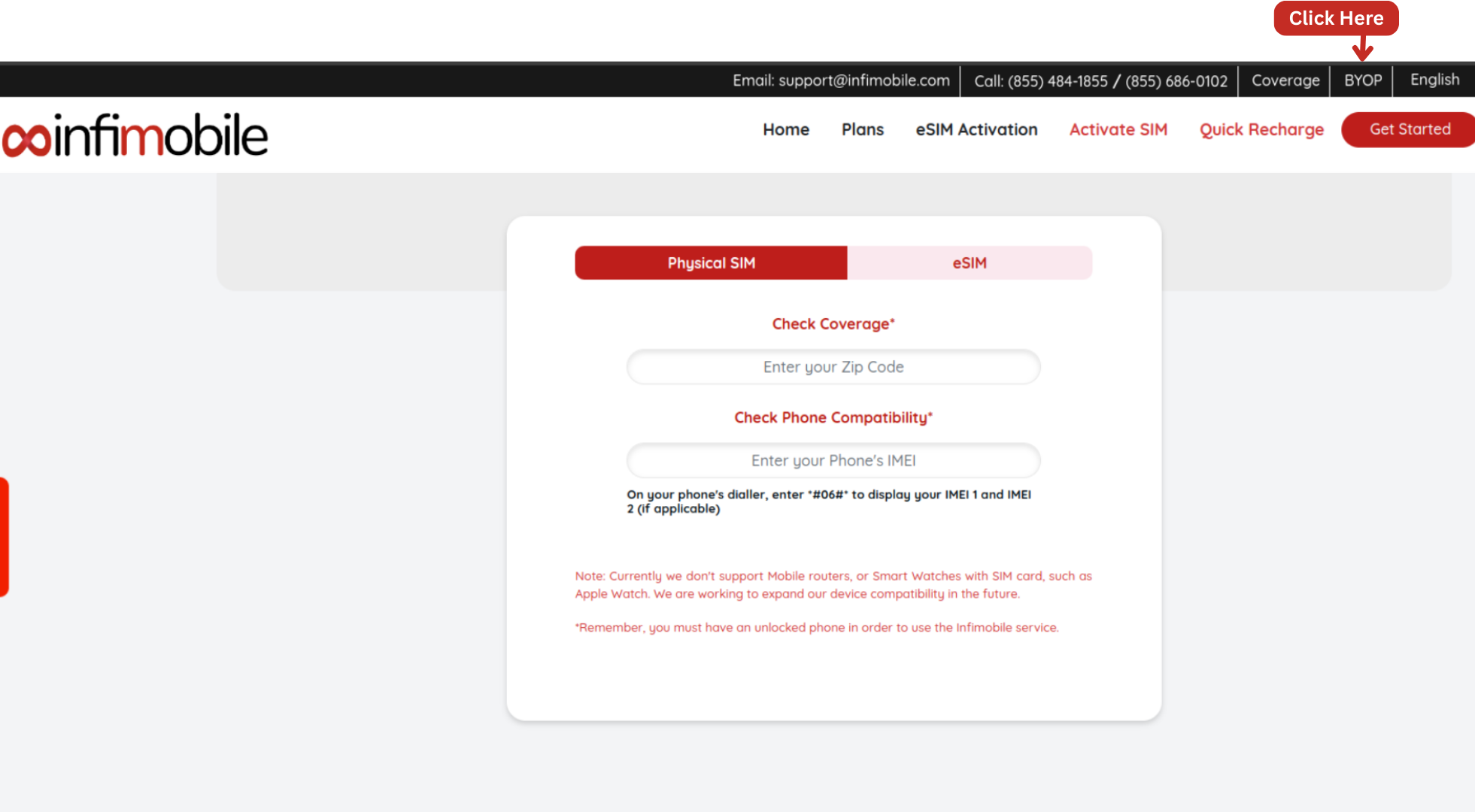
Step 1: Go to the Infimobile website and click on "BYOP" located in the top-right corner.
Step 2 : You’ll find the following details to check your device’s compatibility with Infimobile’s network. Review them carefully to ensure your phone works seamlessly:
Select SIM Type: Choose between a physical SIM or eSIM. Note that some devices support eSIM but not physical SIM, and vice versa.
Check Zip Code: Input your area’s zip code to verify that Infimobile’s service is available in your location—a required step for coverage confirmation.
Device ID (IMEI): Dial #06# on your phone to view IMEI 1 and IMEI 2 (if applicable). This unique ID is used to verify your device’s compatibility with specific network services.
Note: At this time, Infimobile does not support mobile routers or smartwatches with SIM cards, like the Apple Watch . We’re actively working to broaden our device compatibility in the future.
Important: Your phone must be unlocked to use Infimobile’s service.