
Can I use my phone as a hotspot and how do I set it up?
A hotspot is a feature that allows your mobile device to share its internet connection with other devices, such as laptops, tablets, or other smartphones, via Wi-Fi, Bluetooth, or USB. With Infimobile, enabling and using a hotspot is a simple way to stay connected on the go, whether you’re working remotely, traveling, or need a backup internet solution.
Here’s how to activate Hotspot for your plan:
Step 1 :Sign in to your Infimobile account and navigate to the Quick Recharge section and input your mobile number twice to confirm.
Step 2 :After entering your mobile number, your current plan details will appear and You’ll see five categories .
Renew /Upgrade Plan
Enroll in Auto Renewal
Purchase Data Add-On
Enable International calling
Enable Hotspot
Step 3: Navigate to the "Enable Hotspot" section. Check the "Enable Hotspot" box to activate the feature. Once enabled, the hotspot will remain active until your current plan expires.
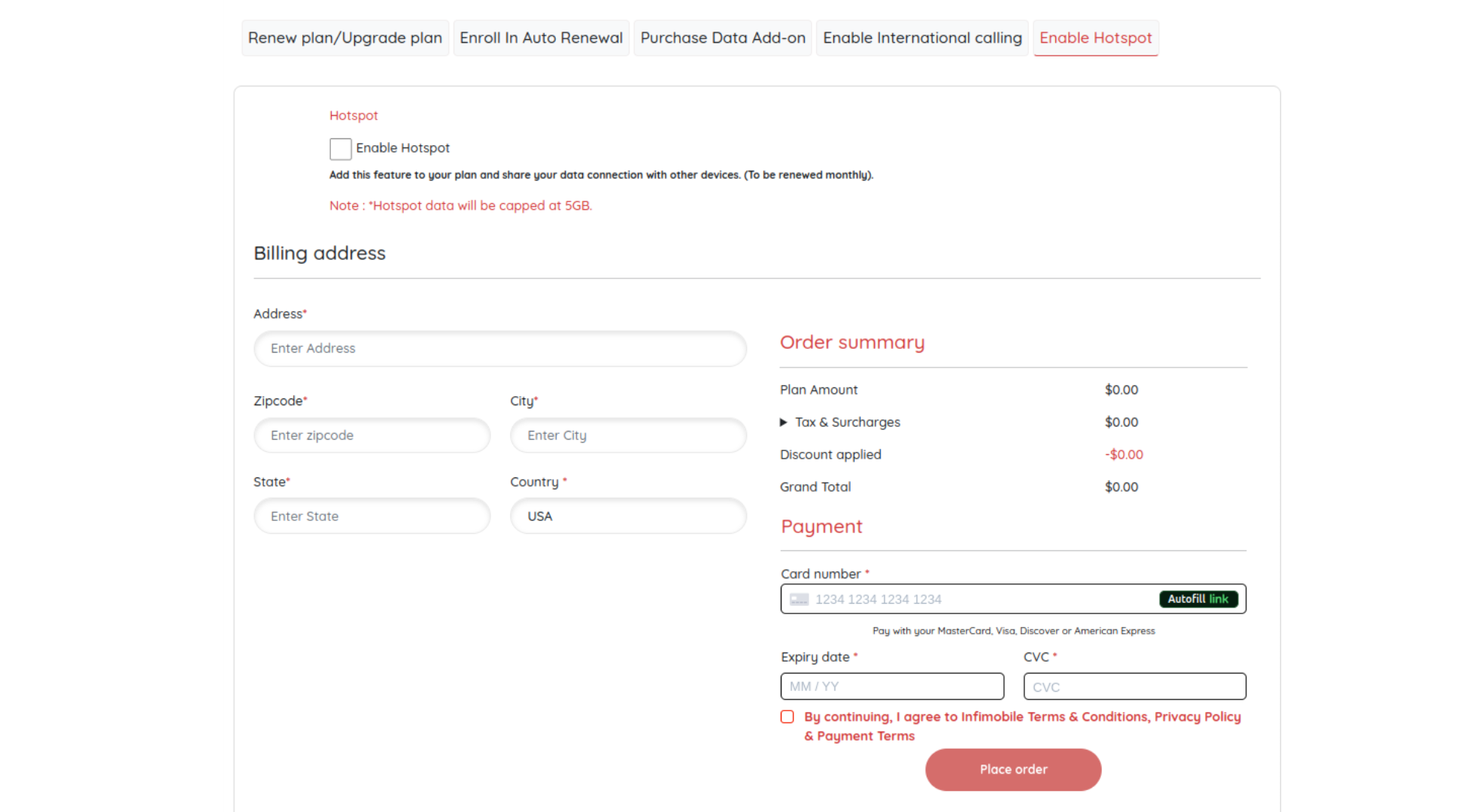
Step 4 :Please provide your billing address and enter your card details to complete the payment process.
Step 5: After payment is processed, the hotspot feature will be activated and will automatically renew until your current plan expires.
Note: You can share up to 5GB of data via the hotspot. Once the 5GB limit is exceeded, data sharing will be disabled.