
How do I change the email address linked to my account?
Need to update the email address tied to your Infimobile account? We’ve got you covered with a quick and easy process! This guide walks you through the steps to change your account’s email, ensuring you stay connected and receive important updates without a hitch. From logging into your Infimobile account to navigating the settings and verifying your new email, learn how to make the switch seamlessly and keep your account info up to date!
Step 1 : Log in to your Infimobile account.
Step 2 : Navigate to the Profile section from the dashboard.
Step 3 : In the profile section, you’ll find your account details. Next to the email field, an edit option allows you to update your email address. Enter the new email address you wish to use.
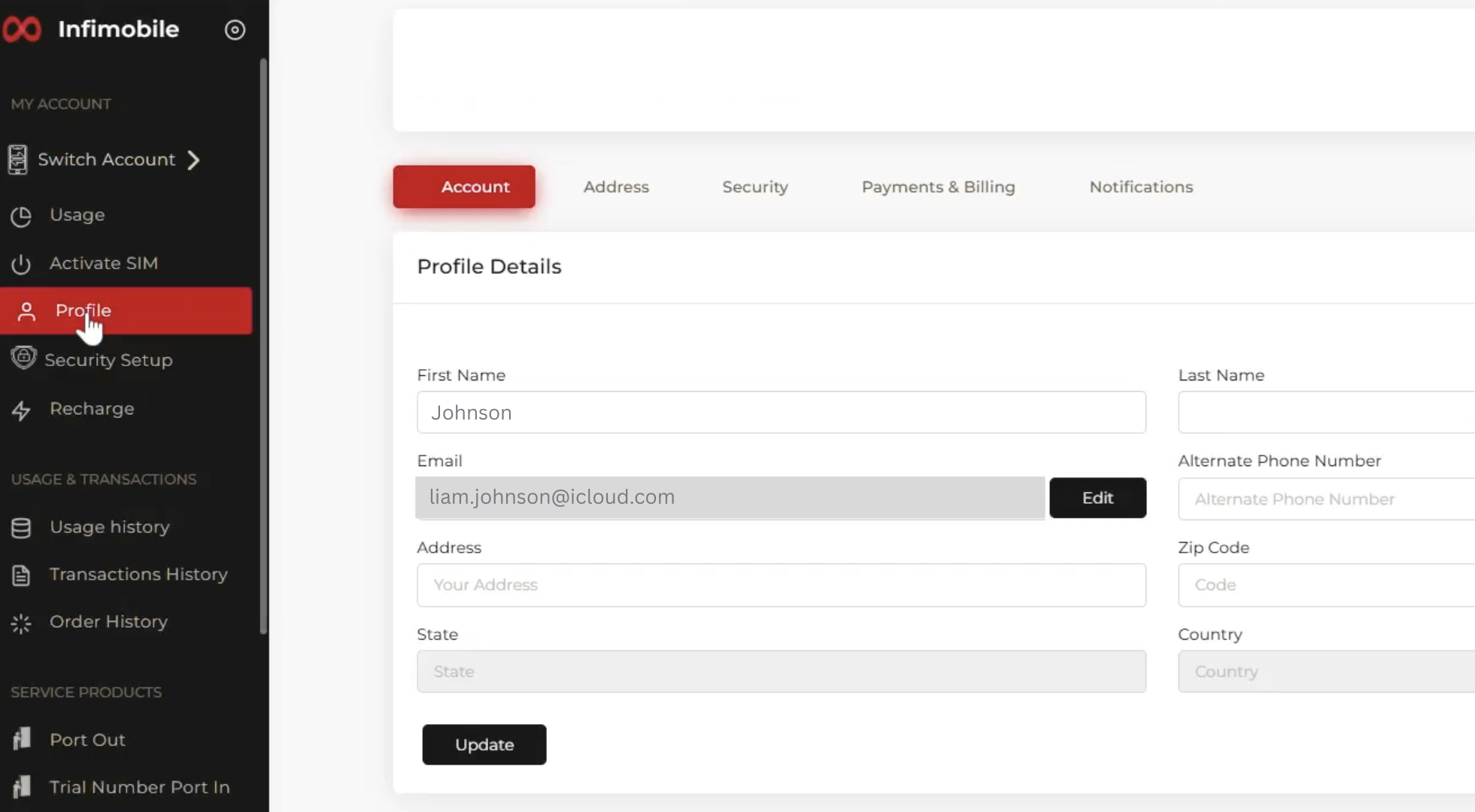
Step 4 : After entering the new email address you wish to use, click "Update." A verification request email will be sent to your current email address to confirm the change.
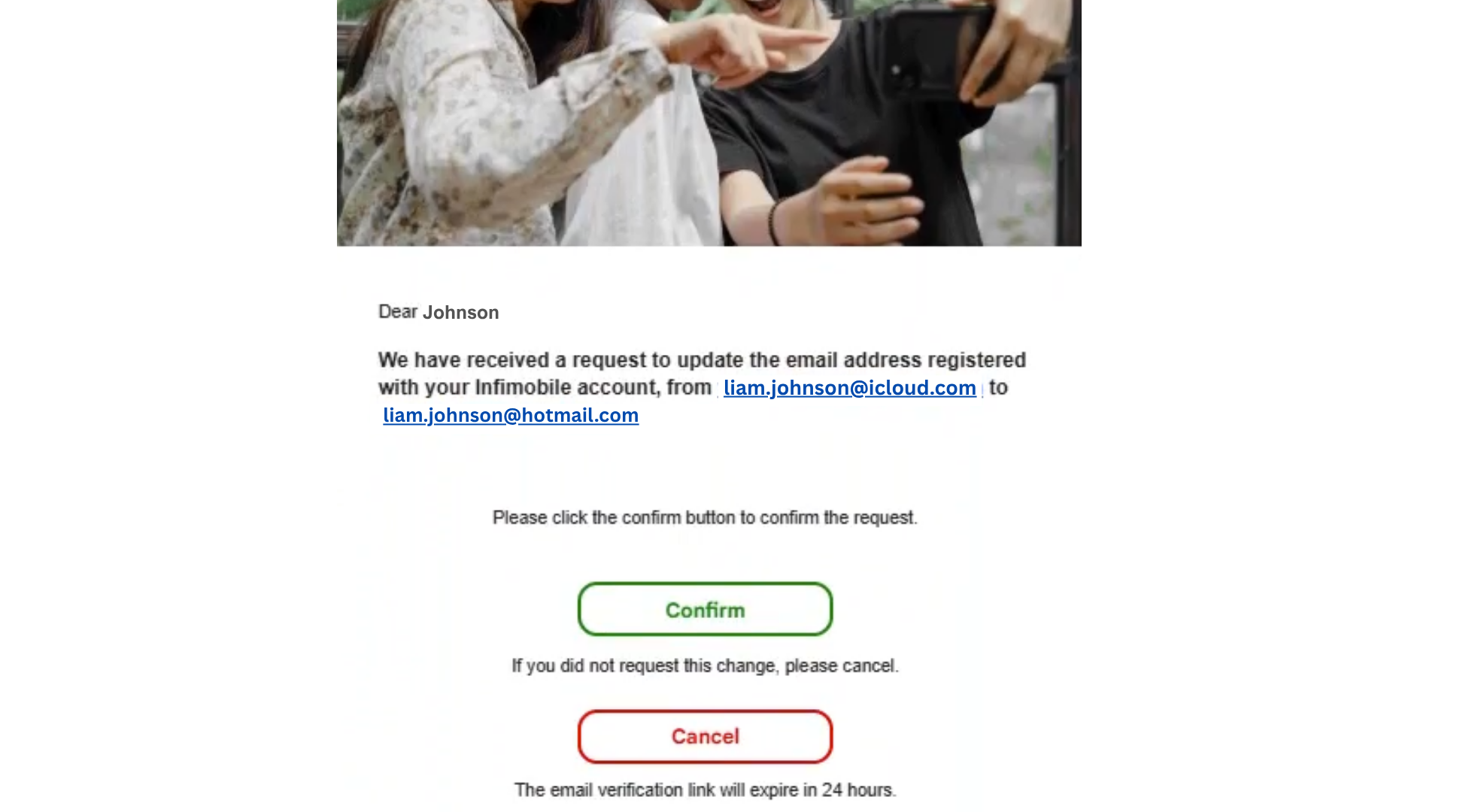
Step 5 : Click "Confirm" in the email to process the request, and your email address will be updated.
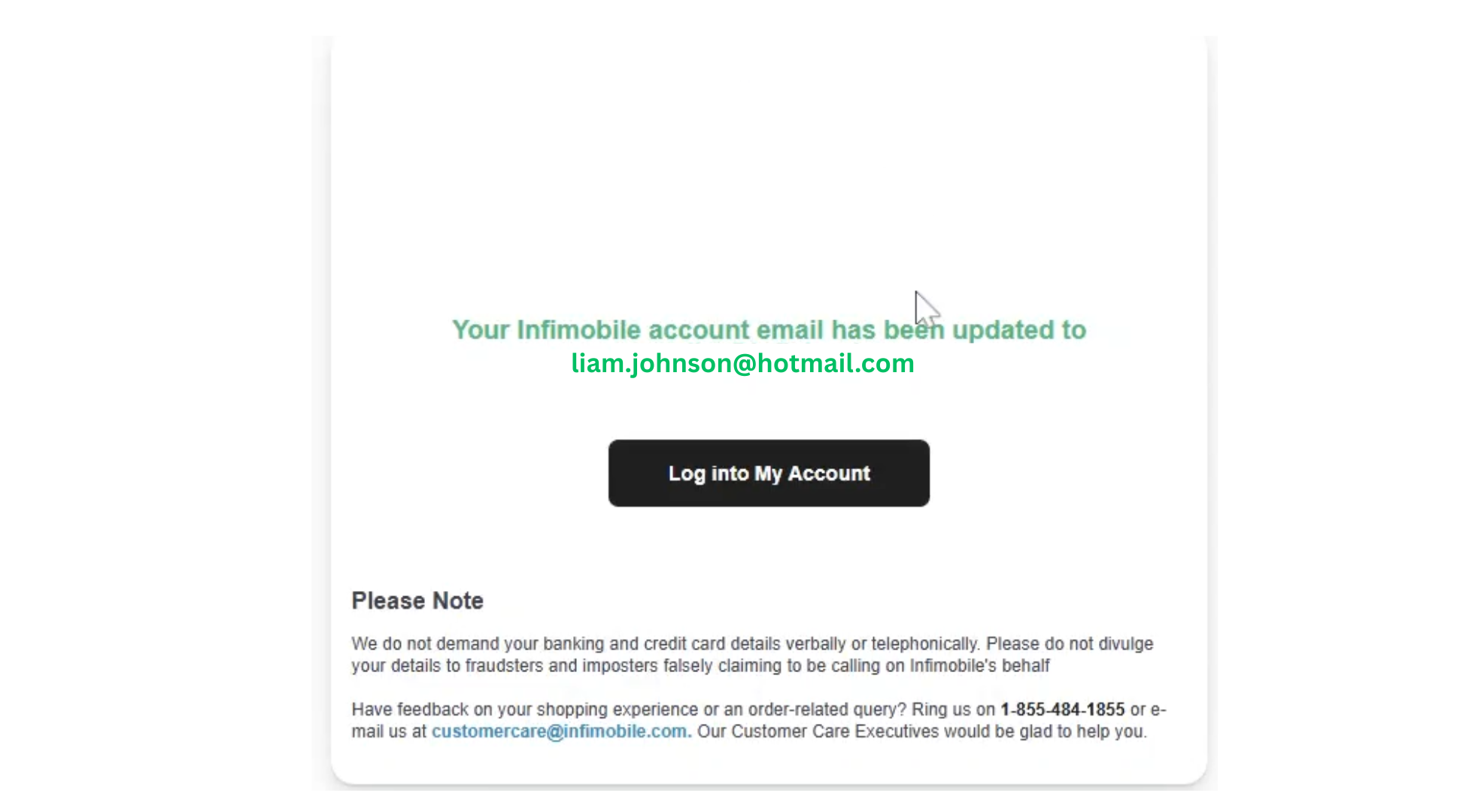
Step 6 : The email has been updated. Please click on My Account, and you will be logged into your Infimobile account.