
How do I turn off auto-renewal?
If you no longer want your Infimobile plan to renew automatically, you can easily turn off auto-renewal in just a few steps. Disabling this feature ensures you won’t be charged for the next billing cycle unless you manually renew your plan.
Steps to Turn Off Auto-Renewal
1.Log in to your Infimobile account.
2.Navigate to the "Usage" section from the dashboard.
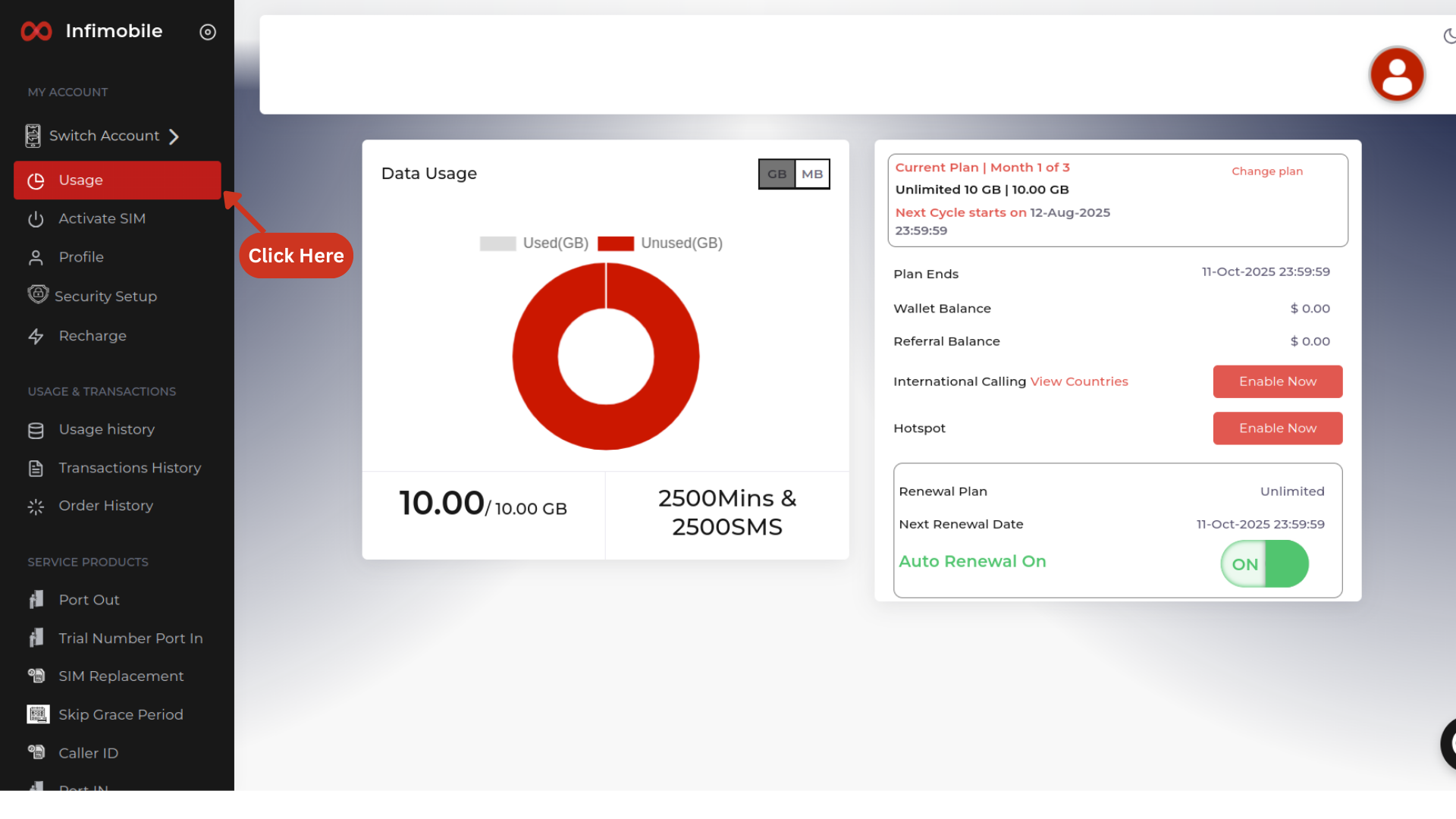
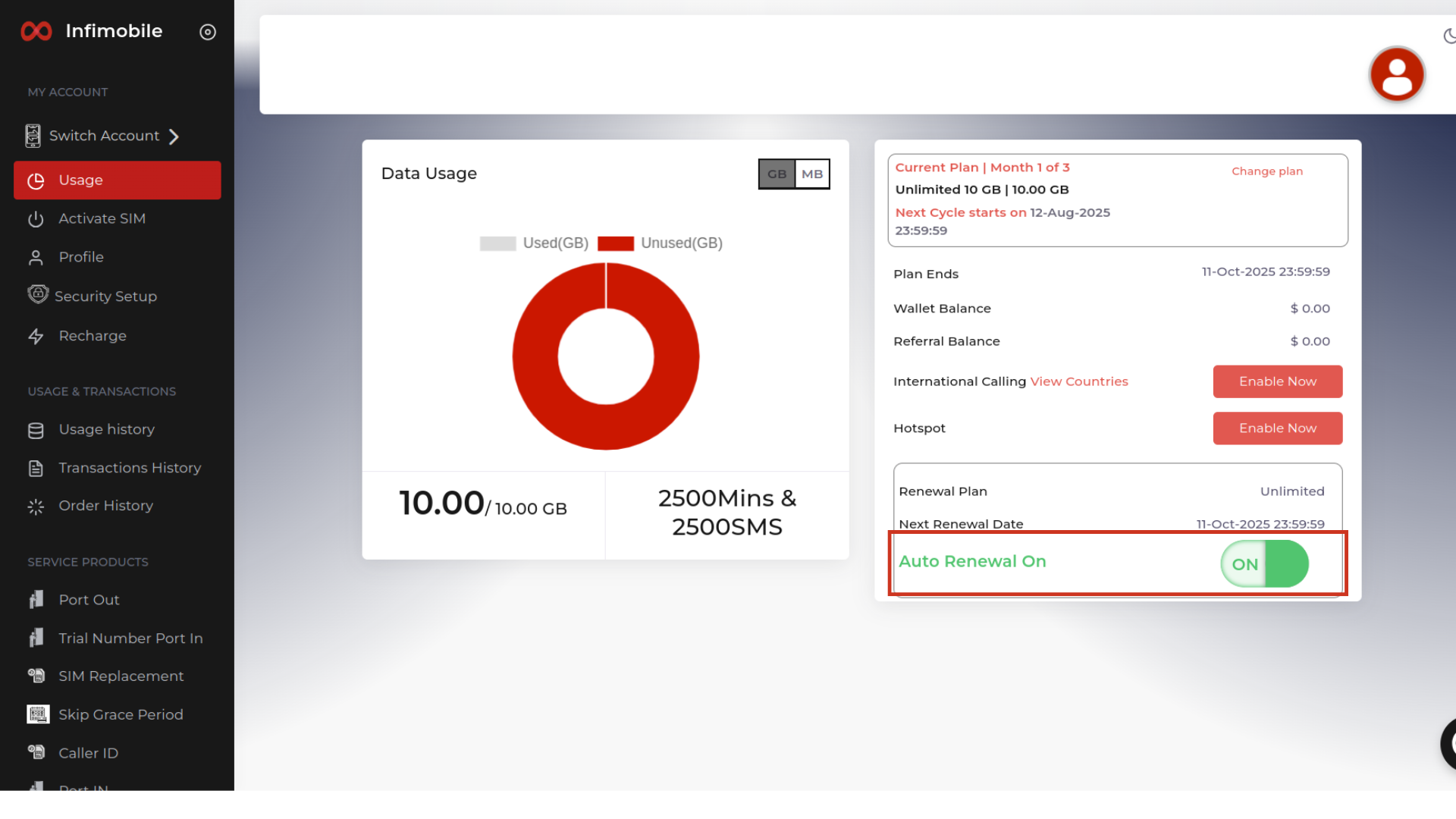
3.Find the Auto-Renewal toggle and turn it from ON to OFF to disable auto-renewal.
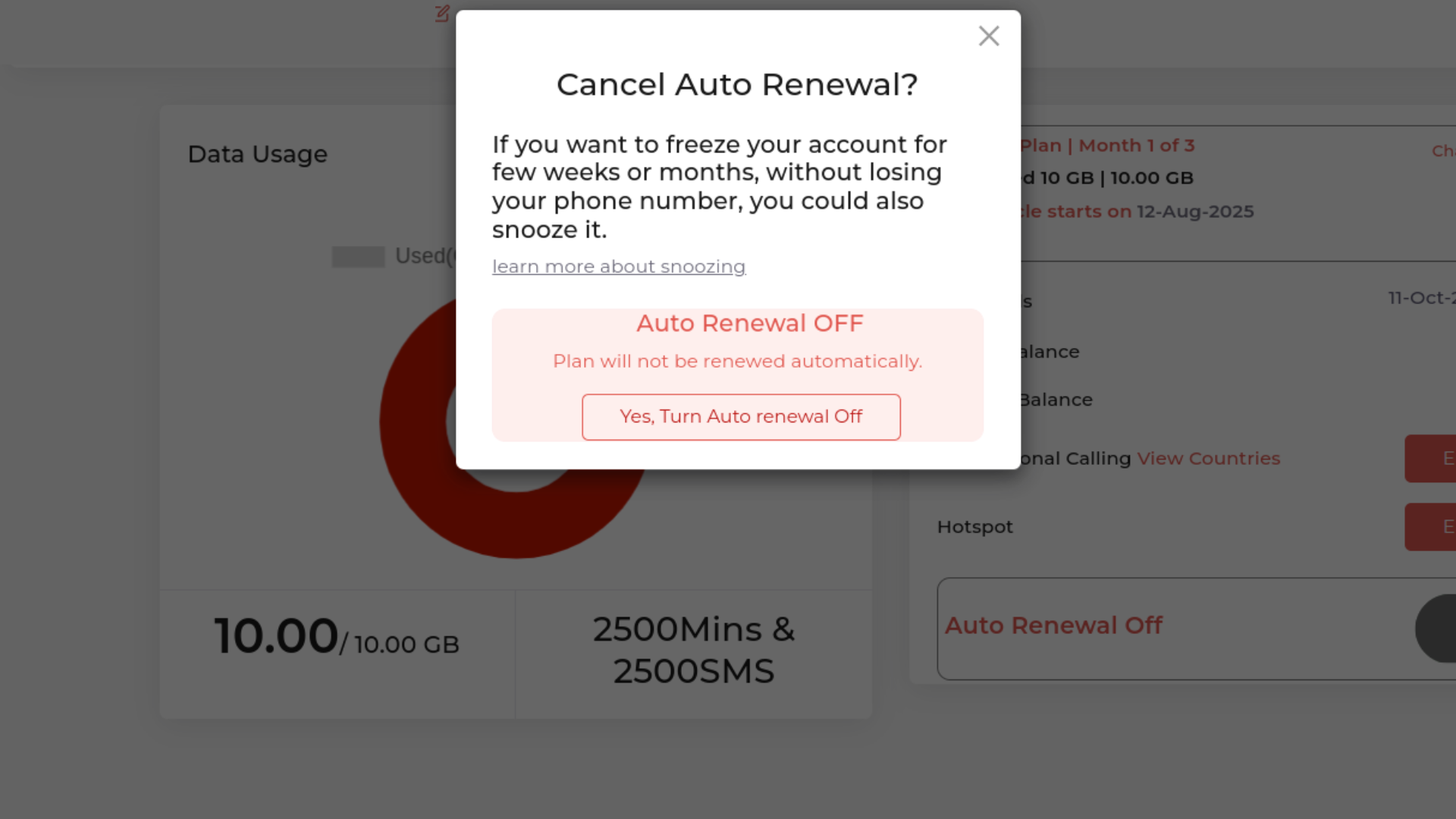
4.After switching the toggle to OFF, a pop-up will appear. Click on “Yes, turn off auto-renewal.” Once you confirm, auto-renewal will be successfully disabled.
Important Notes:
Disabling auto-renewal will not cancel your current plan — it will remain active until its expiry date.
You can turn auto-renewal back on anytime before your plan expires.
If you have any issues, Infimobile Support is here to help!
Need Assistance?
If you’re unable to locate the option or prefer direct support, feel free to contact Infimobile Customer Care (855) 484-1855 / (855) 686-0102 and we’ll take care of it for you.