
How Do I Add More Credit to My International Calling Feature?
International calling credit tapped out? Infimobile’s here to keep your global conversations flowing! This guide zips you through a lively, no-fuss process to reload your international calling feature. Jump into your account, swing by Quick Recharge, and pump up your credit in a flash—ensuring you’re always just a call away from anywhere in the world!
Here’s how to include International credits to your plan:
Step 1 :Sign in to your Infimobile account and navigate to the Quick Recharge section and input your mobile number twice to confirm.
Step 2 :After entering your mobile number, your current plan details will appear and You’ll see five categories .
Renew /Upgrade Plan
Enroll in Auto Renewal
Purchase Data Add-On
International Credits
Enable Hotspot
Step 3 : Select the "International Credits" option, which becomes available once you’ve activated international calling. This feature allows you to add credits to your international calling plan
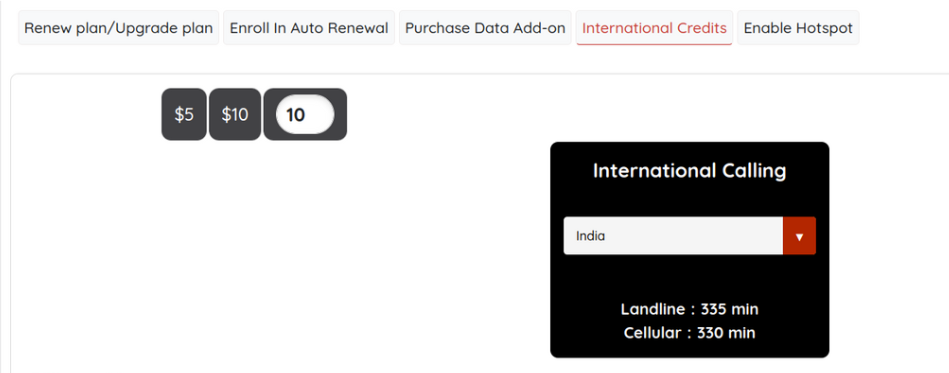
Step 4 : We offer two plans: $5 and $10. Select the plan that suits your needs and choose the specific country you want to apply the plan to.The landline and cellular minutes will be shown, varying by each country.
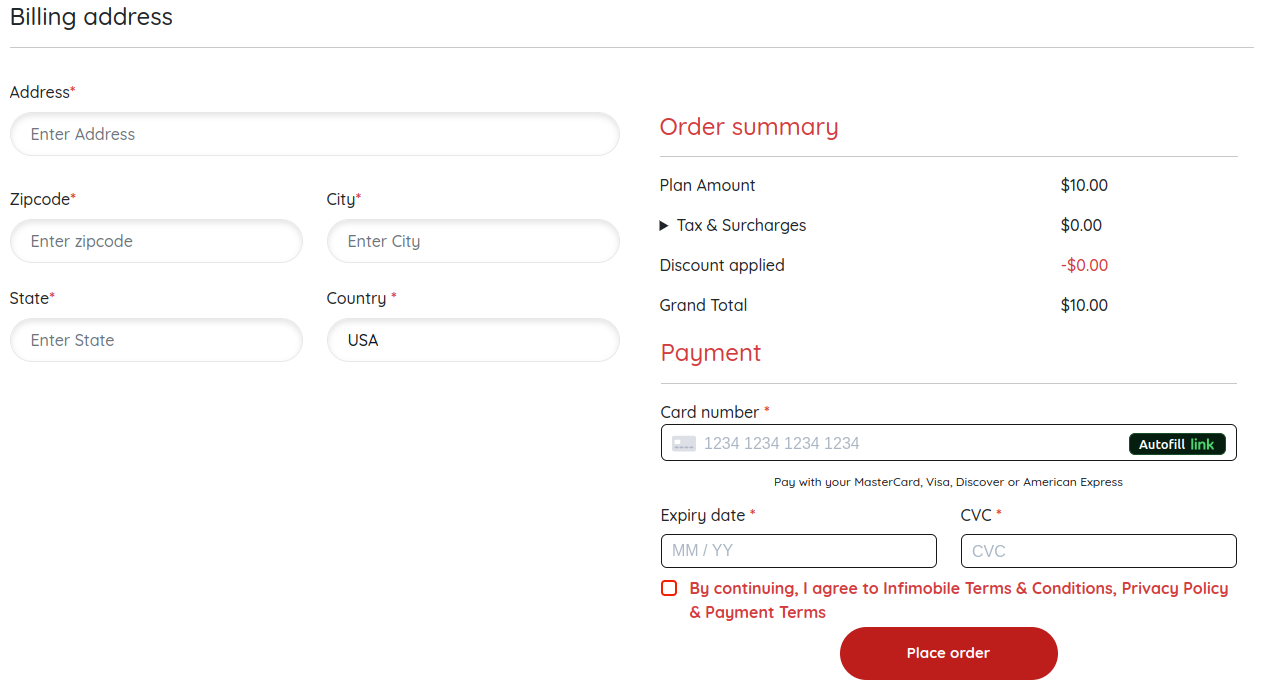
Step 5 :Please provide your billing address and enter your card details to complete the payment process.
Step 6 : After payment is processed, the international credits will be applied to the selected country.
Need Help?
If you encounter any issues ,feel free to reach out to our customer support (855) 484-1855 / (855) 686-0102 or email support@infimobile.com for assistance.