
How do I activate international calling on my plan?
Ready to call across continents? Infimobile unlocks global connections in a snap! This guide zooms you through your account to Quick Recharge, where you can grab international calling credits with ease. Whether it’s family, friends, or work, stay linked worldwide with Infimobile’s vibrant, no-sweat setup that makes every call a breeze!
Step 1 : Sign in to your Infimobile account and navigate to the Quick Recharge section and input your mobile number twice to confirm.
Step 2 : After entering your mobile number, your current plan details will appear and You’ll see five categories.
Renew /Upgrade Plan
Enroll in Auto Renewal
Purchase Data Add-On
Enable International calling
Enable Hotspot
Step 3: Navigate to the "Enable International Calling" section and check the box labeled "Enable International Calling."
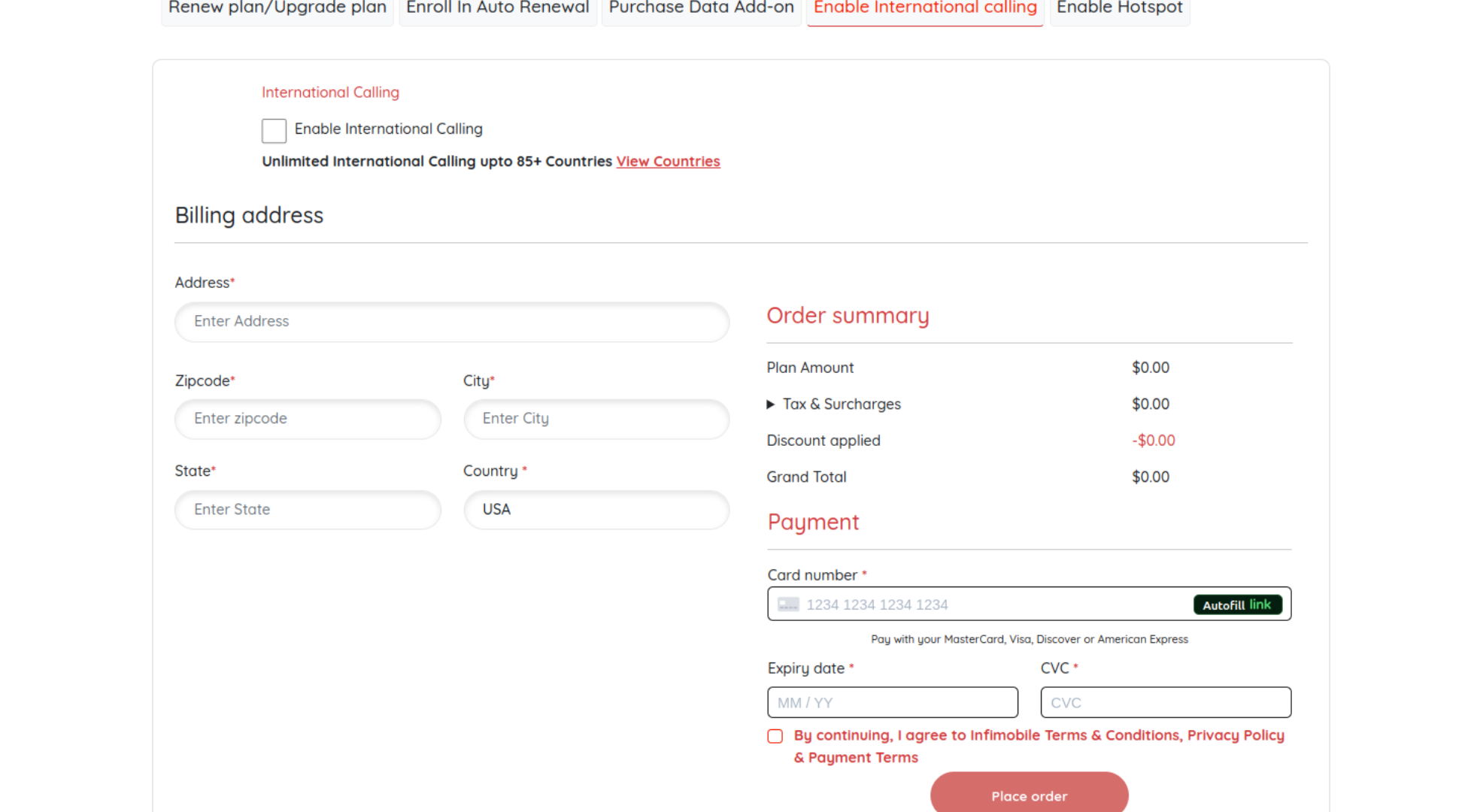
Step 4 : Please provide your billing address and enter your card details to complete the payment process.
Step 5: Once the payment is completed, the international calling feature will be activated on your plan.
Need Help?
If you encounter any issues ,feel free to reach out to our customer support (855) 484-1855 / (855) 686-0102 or email support@infimobile.com for assistance.