
How Do I Set Up Auto Renewal Through Quick Recharge?
Auto Renewal is a service that seamlessly uses a saved credit or debit card to automatically continue your phone plan before its expiration.
Auto Renewal automatically charges a saved card to renew your phone plan before it expires. Payment is deducted five days before the billing cycle ends, with the plan renewing at the cycle's end (e.g., charged on the 25th for a 30th expiration).
Here’s how to enable auto renewal for your plan::
Step 1 :Sign in to your Infimobile account and navigate to the Quick Recharge section and input your mobile number twice to confirm.
Step 2 :After entering your mobile number, your current plan details will appear and You’ll see five categories .
Renew /Upgrade Plan
Enroll in Auto Renewal
Purchase Data Add-On
Enable International calling
Enable Hotspot
Step 3: Navigate to the "Enroll in Auto Renewal" section. Check the box labeled "Enroll in Auto Renewal" to activate automatic monthly payments for your bill using your credit or debit card.
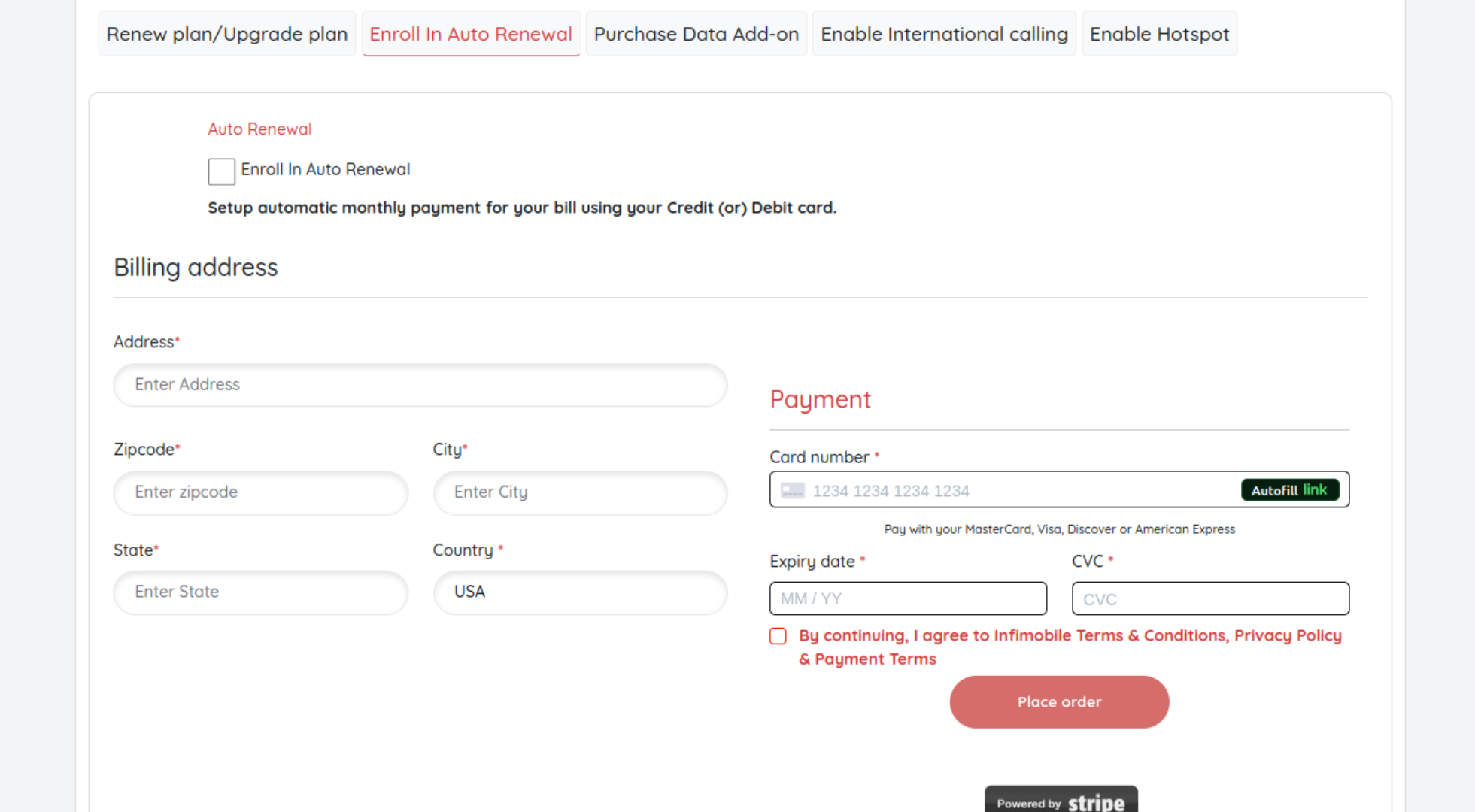
Step 4: Please provide your billing address and enter your card details to complete the payment process.
Step 5 :After completing the payment, auto renewal will be activated, and your plan will automatically renew each month.
Need Help?
If you encounter any issues during the upgrade process ,feel free to reach out to our customer support (855) 484-1855 / (855) 686-0102 or email support@infimobile.com for assistance.