
How can I update the name shown to others when I call or text?
Caller ID helps people identify who's calling before they pick up. Setting it up ensures that your name or number shows correctly when you call someone.
Learn how to set up your caller ID so your name or number shows correctly when you call someone. Whether you're using a mobile phone or another service, this guide will walk you through the steps.
Step 1 : Sign in to your Infimobile account
Step 2 : Navigate to the "Caller ID" section from the dashboard.
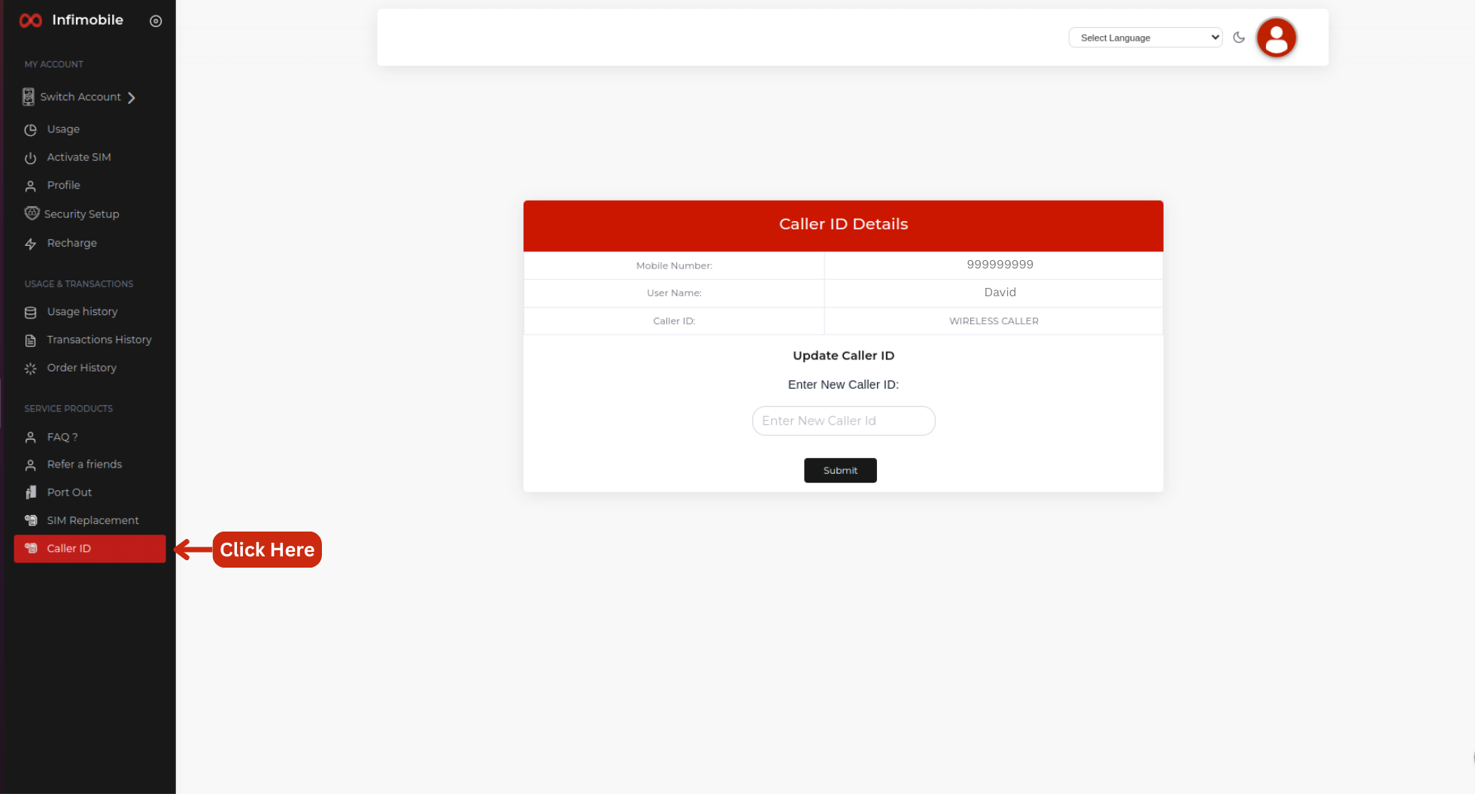
Step 3: You can view your Infimobile number and username. By default, your caller name will appear as "Wireless Caller." To change it, simply enter the name you want to display as your caller ID and click Enter. Your caller ID will be updated instantly.
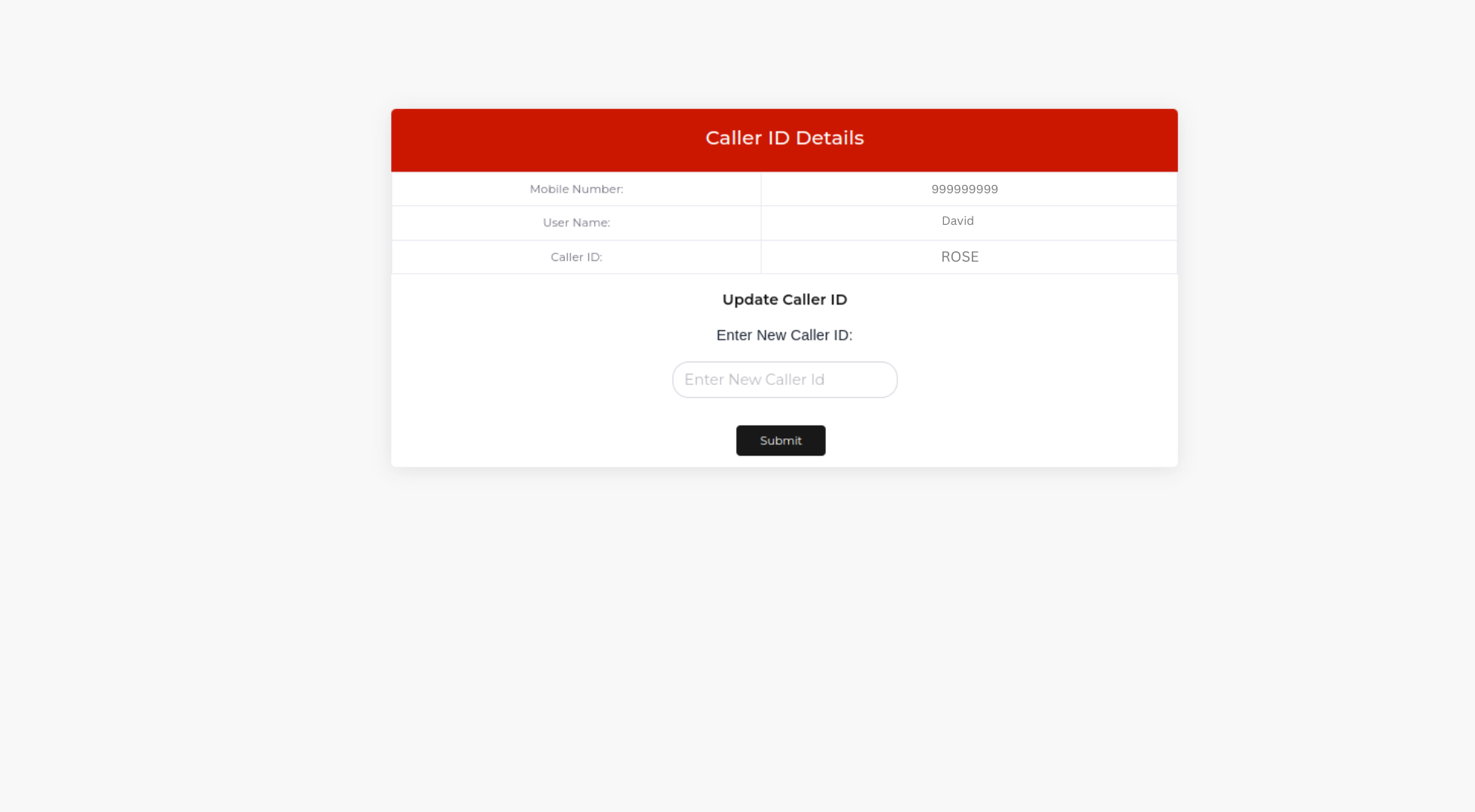
This feature is only available for iPhone users. The custom caller ID will appear only when both the caller and the recipient are using iPhones.