
Switching to Verizon eSIM with SmartSwitch: A Step-by-Step Guide
Ready to make the switch from T-Mobile to Verizon? You’re in the right place! At InfiMobile, we run on both T-Mobile and Verizon networks—giving you the freedom to choose what works best. Let’s get you connected the smarter way!
Here’s a brief guide to help you transition your carrier from T-Mobile to Verizon (VZW).
Step 1 : Log in to your Infimobile account .
Step 2 : Go to the Change Carrier section and select PWG eSIM to VZW eSIM.
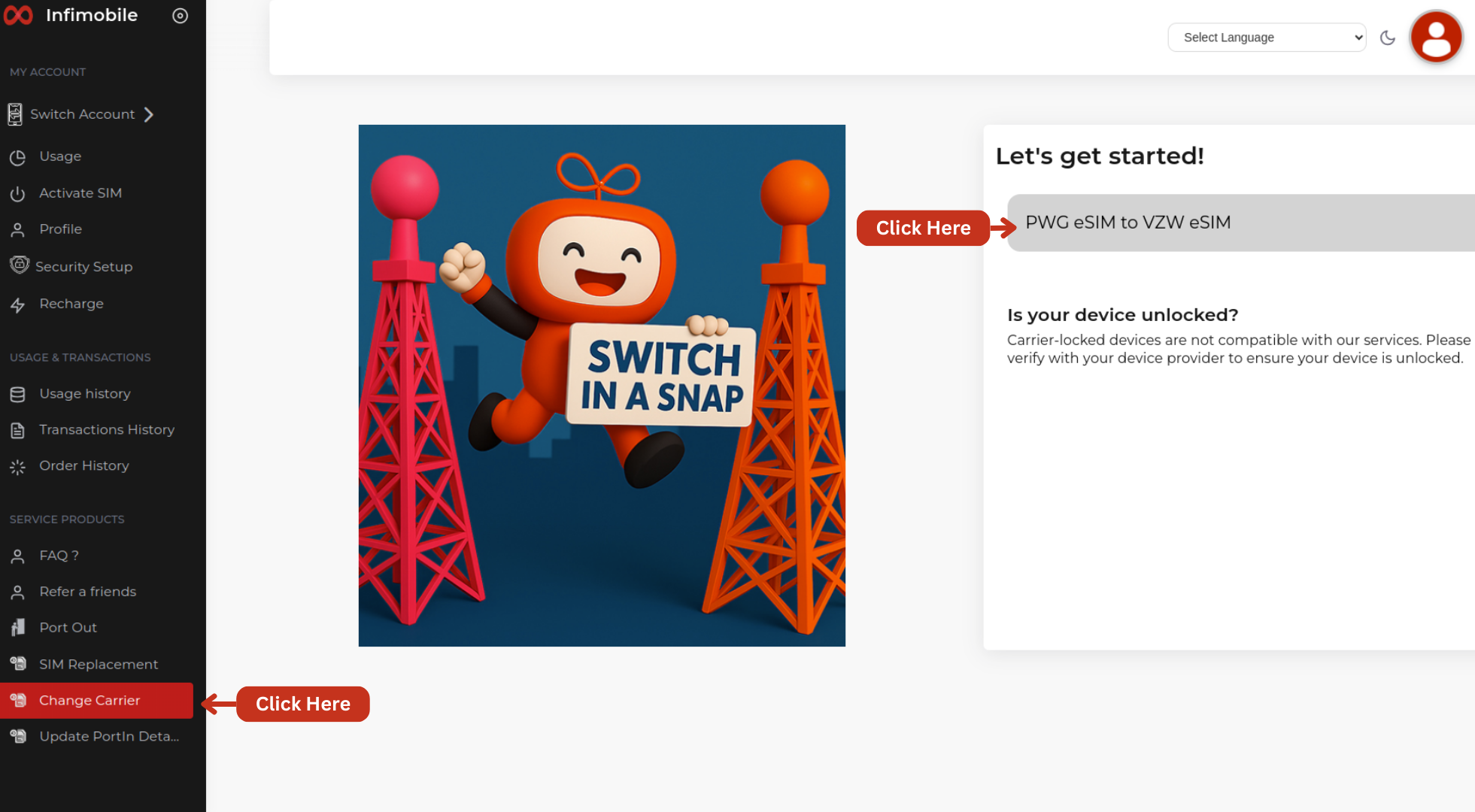
Step 3 : Complete the 2FA verification by confirming your email, SMS, and security questions.
Click on the email to receive an OTP in your mail/ click on the SMS to receive an OTP to your mobile number
Validate the OTP.
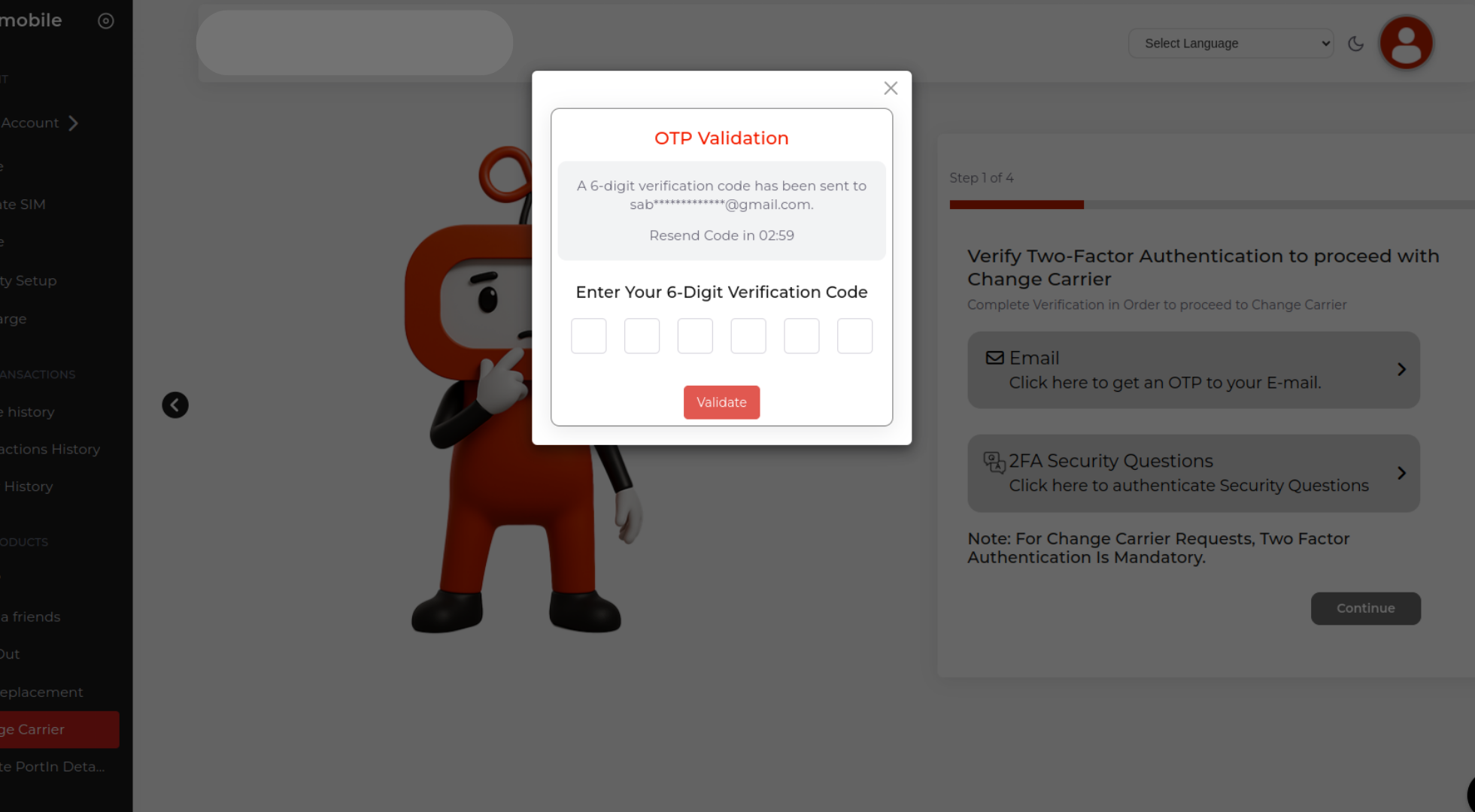
Proceed to the security questions and Please choose one question to respond to.
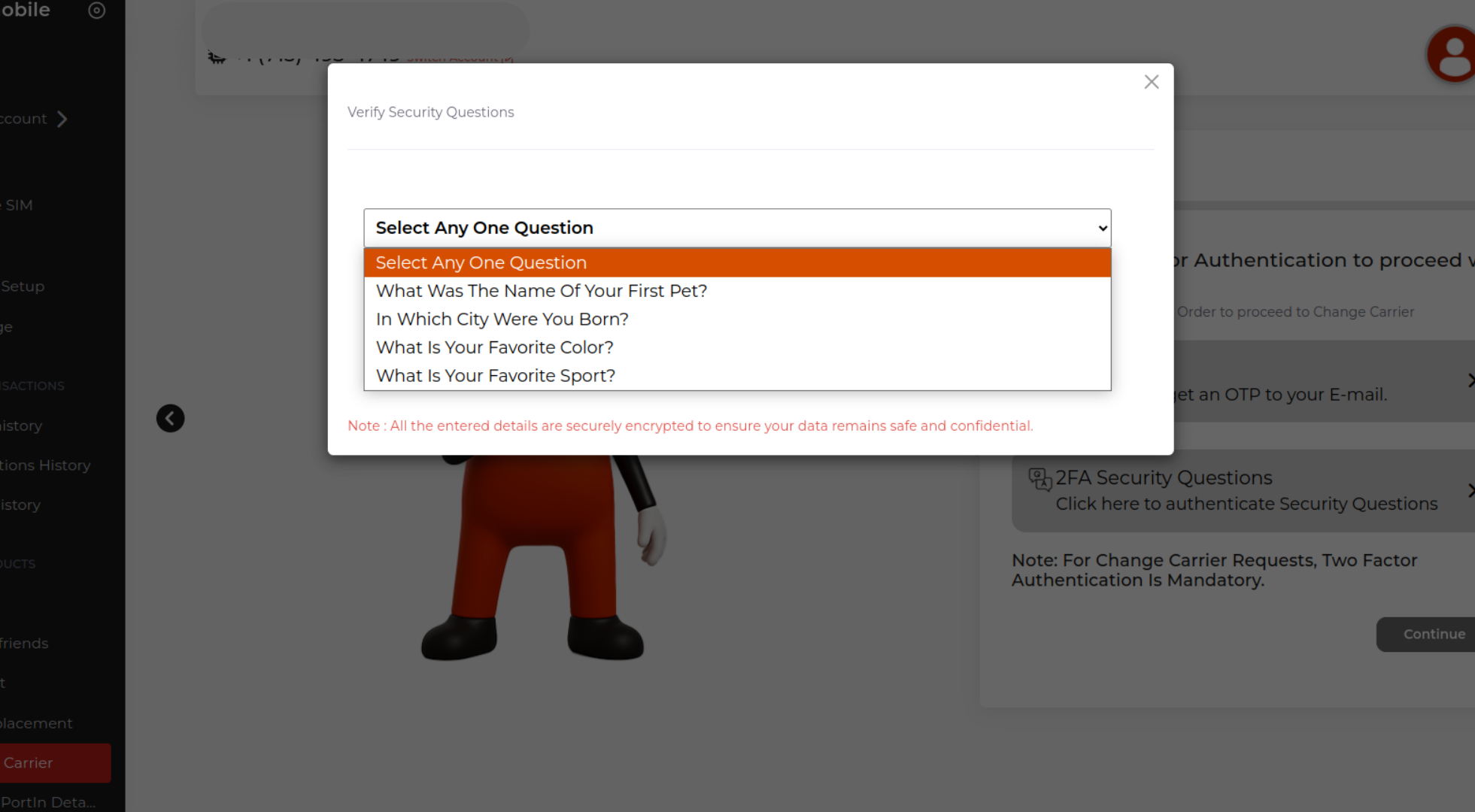
Please make sure to enter the exact same answers you provided during the security setup. If the answers don’t match, the carrier switch request cannot be processed.
Click on "Verify now" to save your answers.
After completing the 2FA verification via email/ SMS, and security questions, simply click on "Continue" to proceed with the carrier change process.
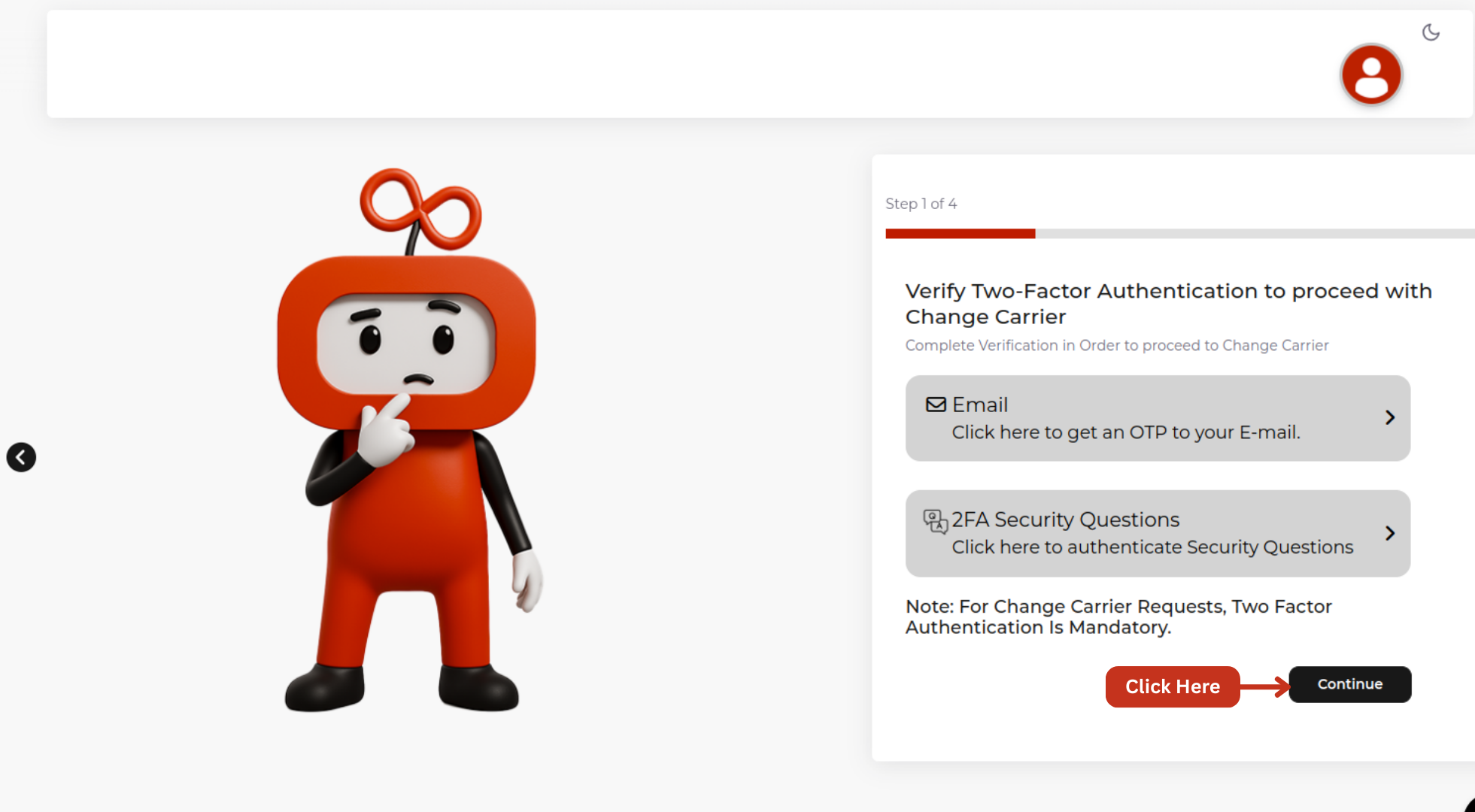
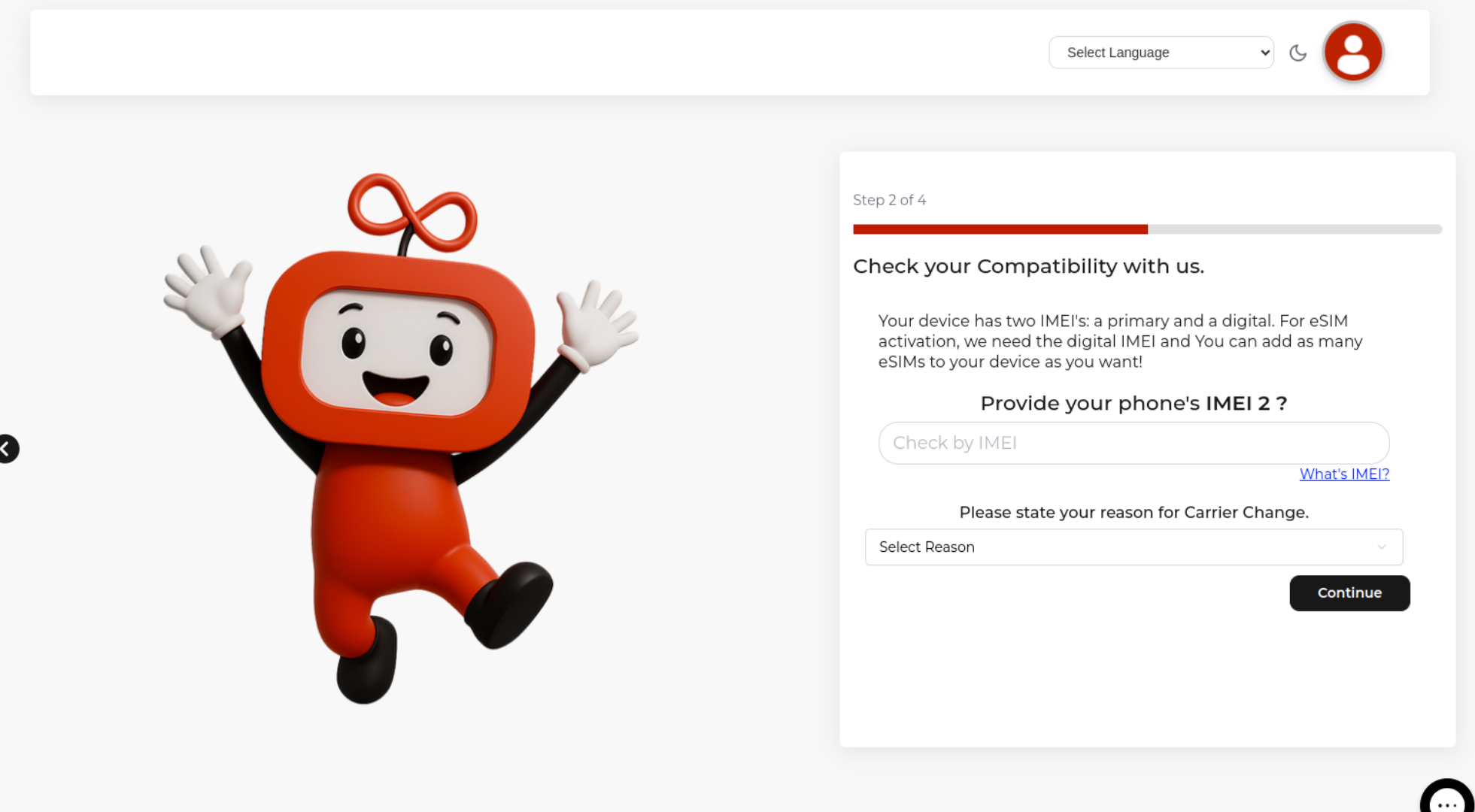
Step 4: please enter the IMEI number of your device to verify its compatibility with Verizon network.
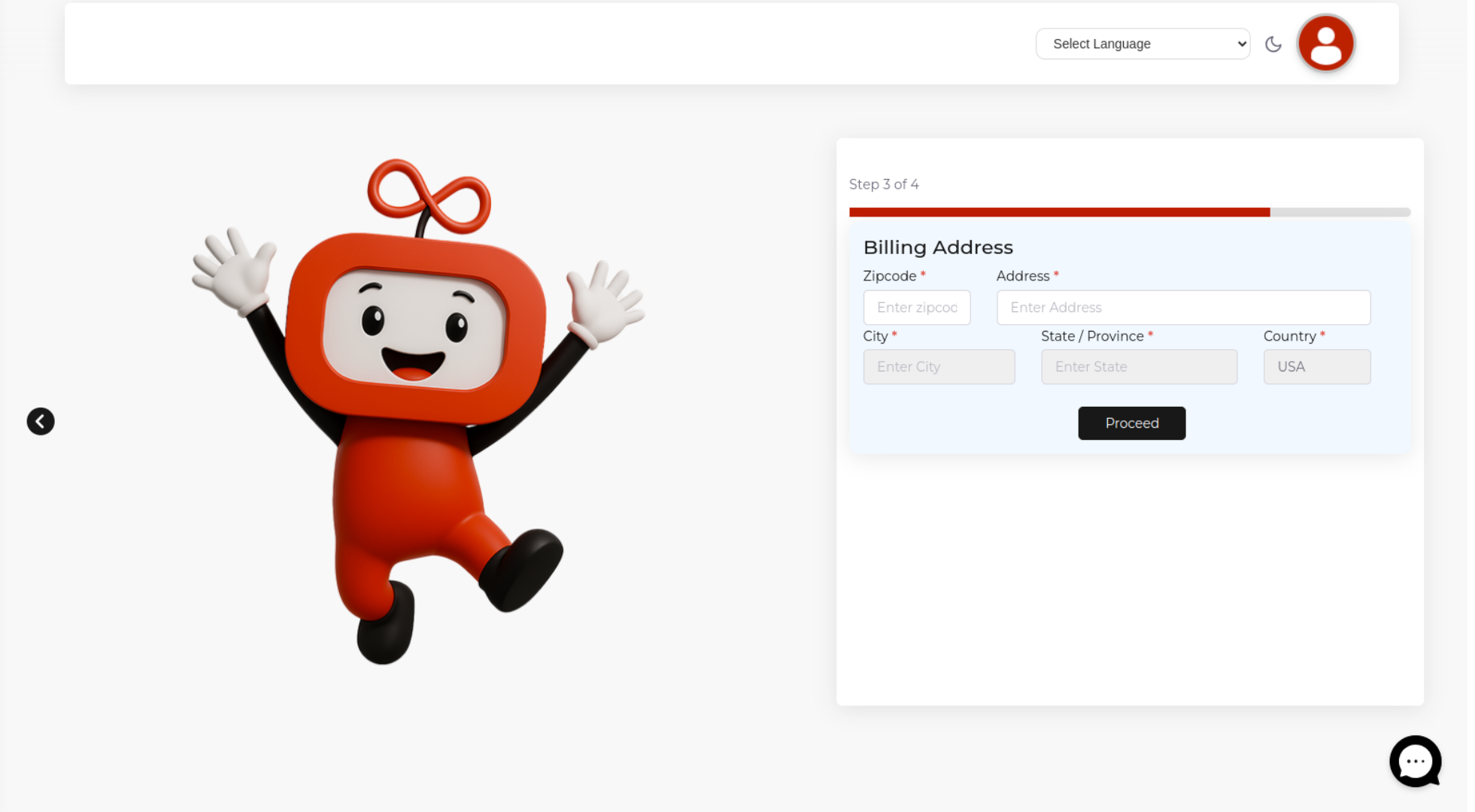
Step 5 :Please input your billing address to check if Verizon service is available in your area’s zip code
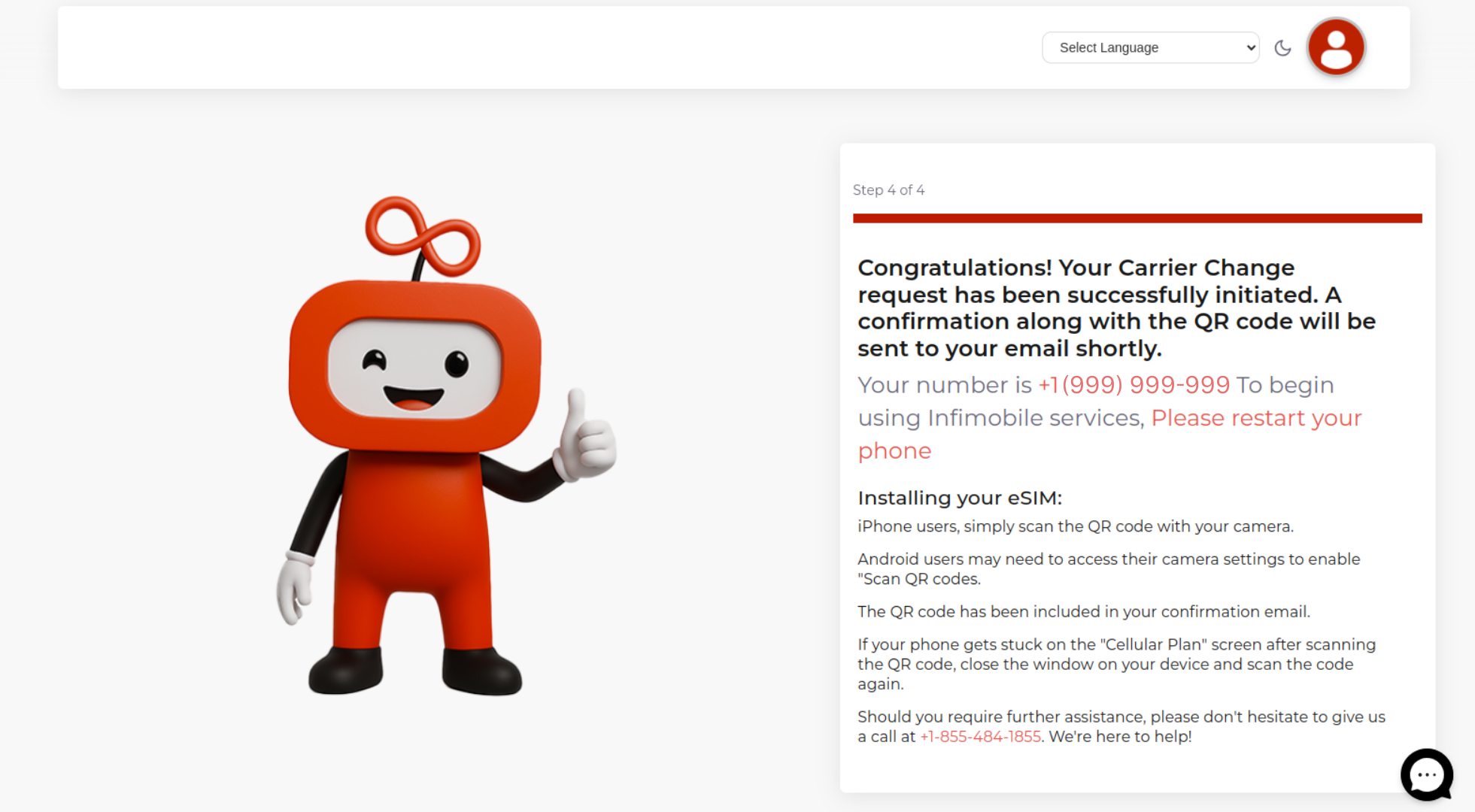
Step 6 :Your carrier switch request will be started, and you’ll receive an email containing a QR code. Scan the QR code to activate your eSIM on the Verizon network.
Need Help?
If you encounter any issues during the carrier change process, feel free to reach out to our customer support (855) 484-1855 / (855) 686-0102 or email support@infimobile.com for assistance