
What do I need to do to move from Physical SIM to eSIM?
Moving from a physical SIM to an eSIM is a simple process that offers more flexibility and convenience. With an eSIM (embedded SIM), you can enjoy digital SIM functionality without the need for a physical card, freeing up space on your device and enabling features like dual SIM support.
We’ll walk you through each step—from verifying your device's compatibility to activating your new eSIM profile. No need for a new phone, no trips to a service center, and no waiting in line. With just a few taps and your IMEI number, you’ll be connected again in minutes.
Here’s a quick guide to help you to upgrade from pSIM to an eSIM :
Step 1 : Log in to your Infimobile account .
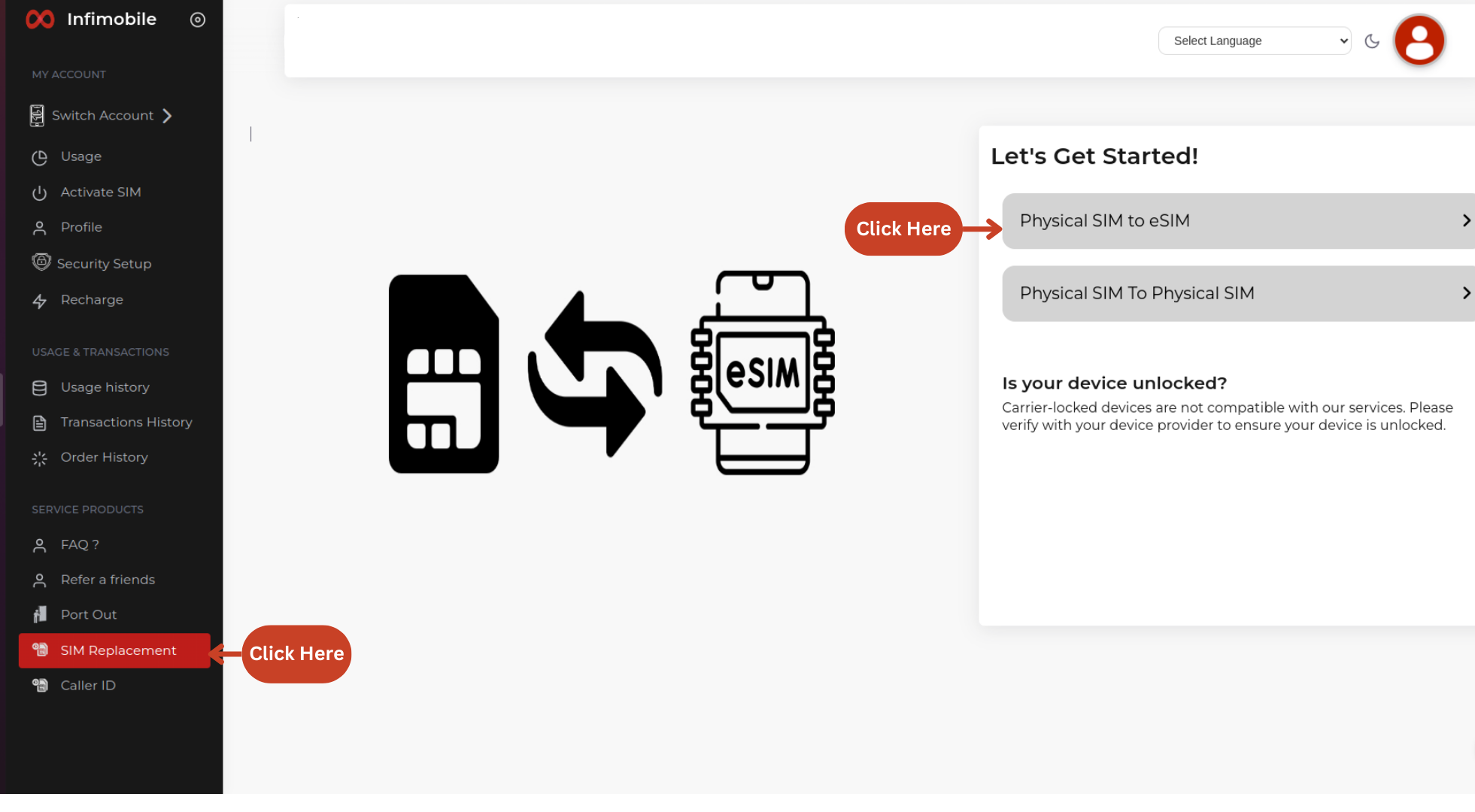
Step 2 : Go to the SIM Replacement section and select pSIM to eSIM.
Step 3 : Complete the 2FA verification by confirming your email, SMS, and security questions.
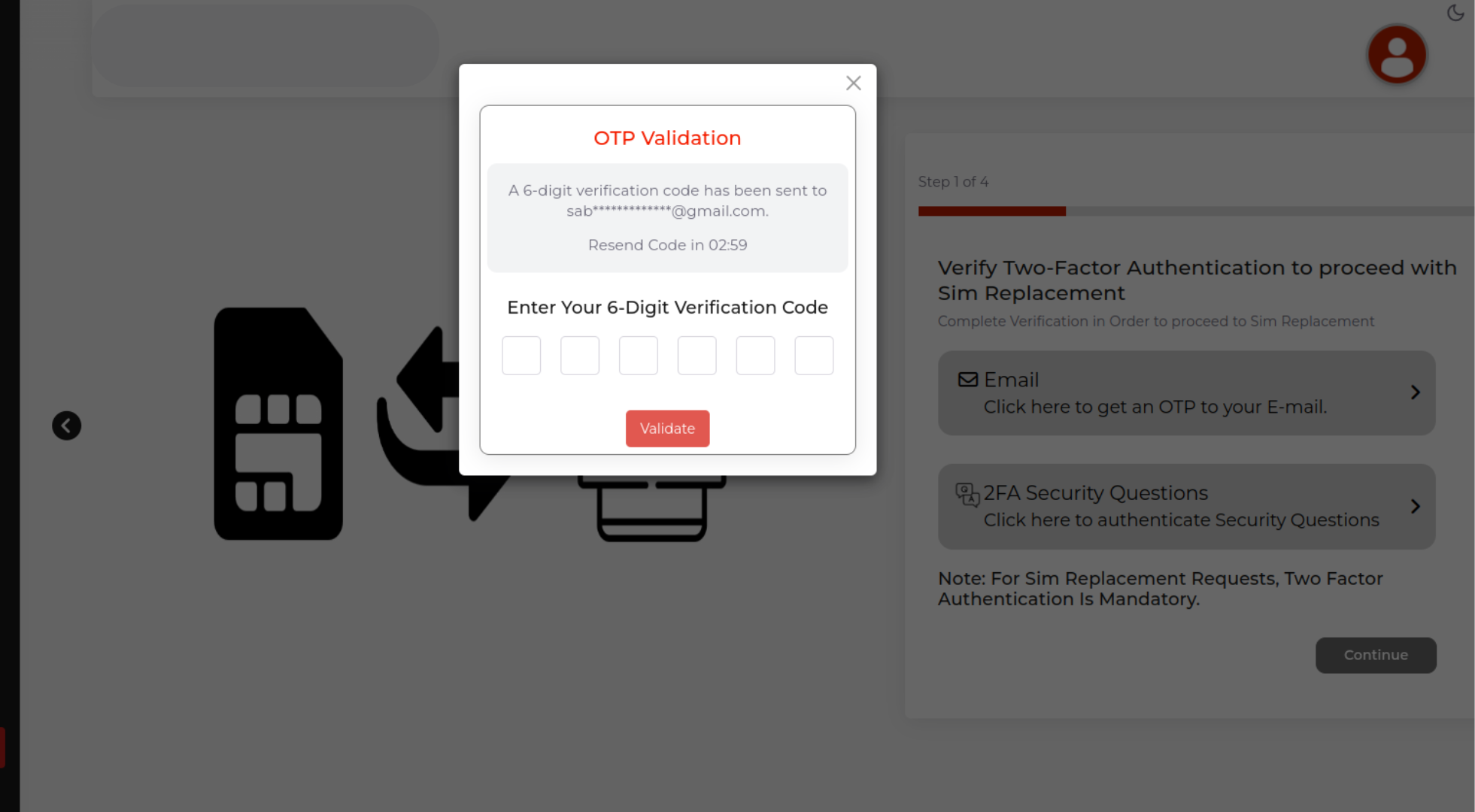
Click on the email to receive an OTP in your mail/ click on the SMS to receive an OTP to your mobile number
Validate the OTP.
Proceed to the security questions and provide your answers
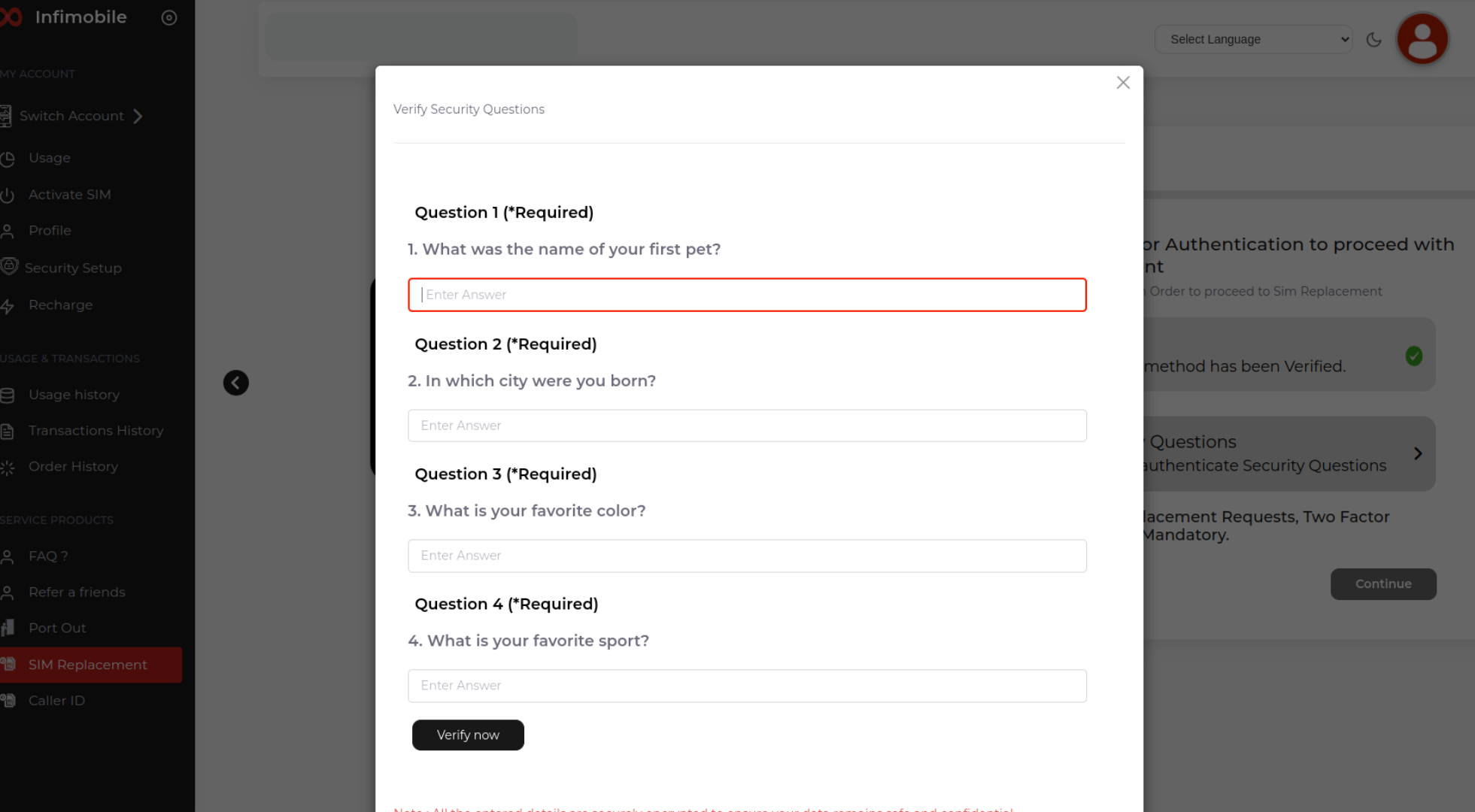
Please make sure to enter the exact same answers you provided during the security setup. If the answers don’t match, the SIM swap request cannot be processed.
Click on "Verify now" to save your answers.
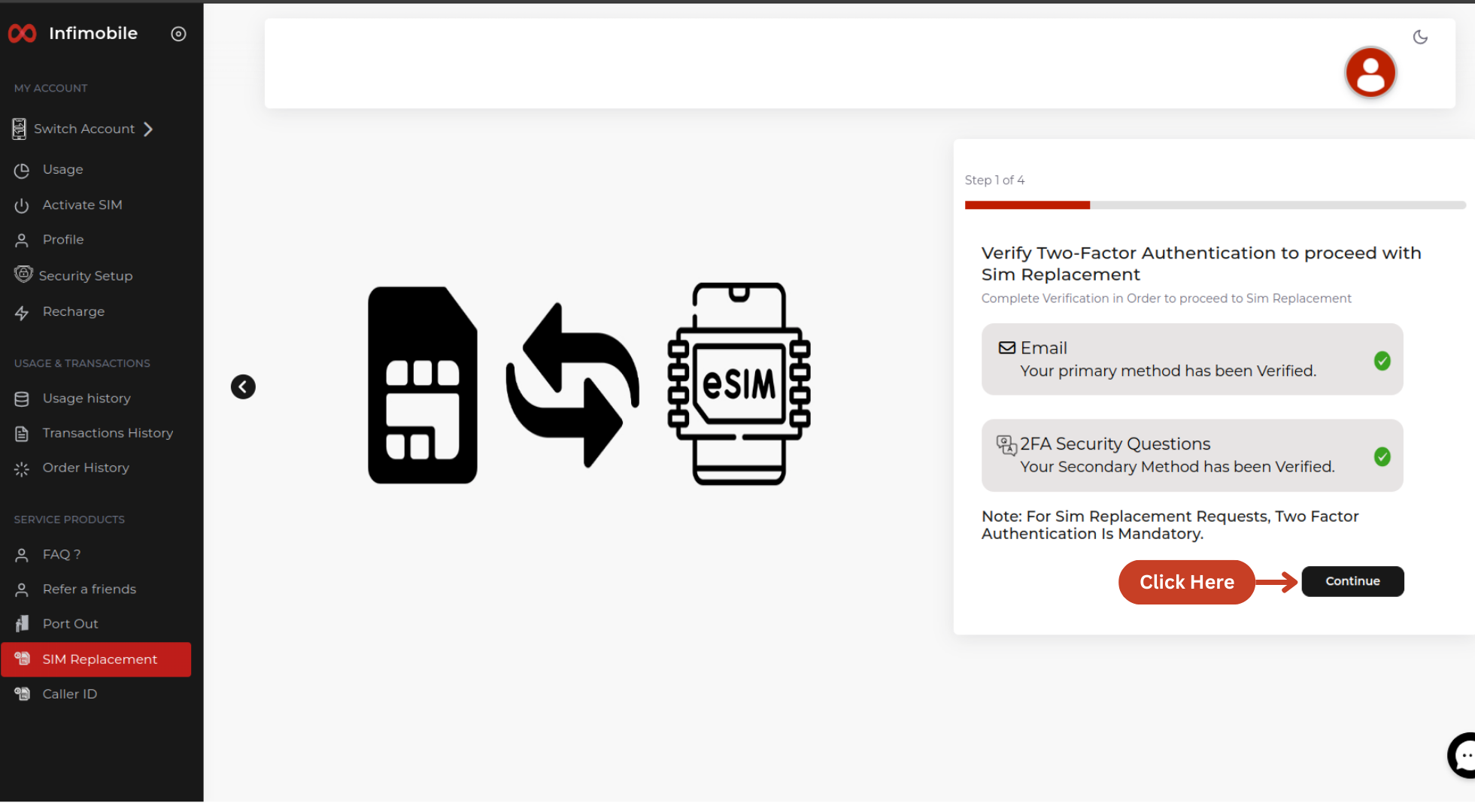
After completing the 2FA verification via email/ SMS, and security questions, simply click on "Continue" to proceed with the SIM swap process.
Step 4 : If you're switching to a new device, please select “Yes, I’m switching to a new device” , If you’re continuing with your current device, choose “No, I’m using the same device.”
please enter the IMEI number of your device to verify its compatibility with our network. The device must also support eSIM functionality
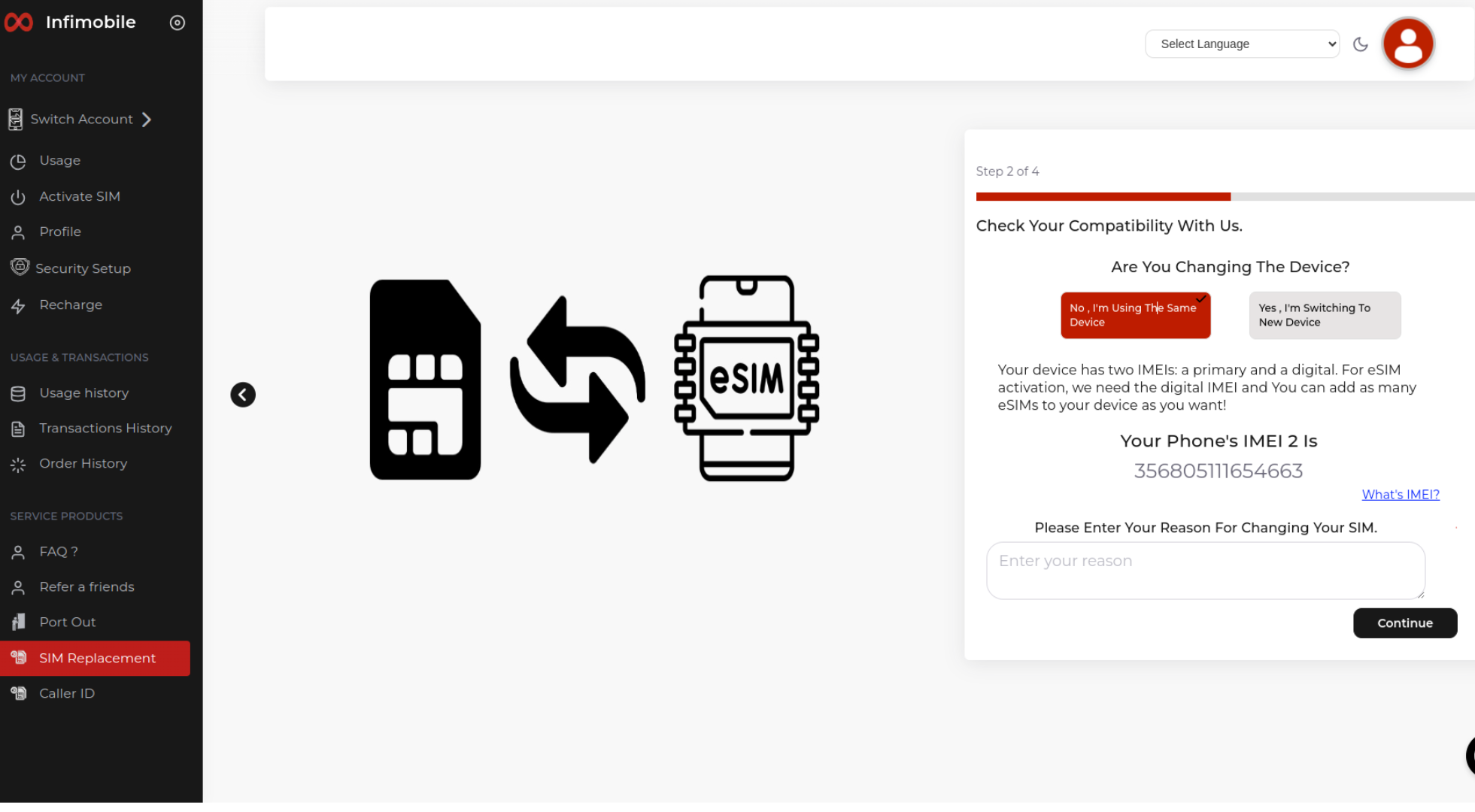
Your device has two IMEIs: primary and digital. For eSIM activation, please use the digital IMEI. Before proceeding, make sure your device supports eSIM. You can also add multiple eSIMs to your device as needed.
Step 5 : Enter your billing details, select a payment method, and confirm the payment, as there is a $5 service charge for SIM replacement.
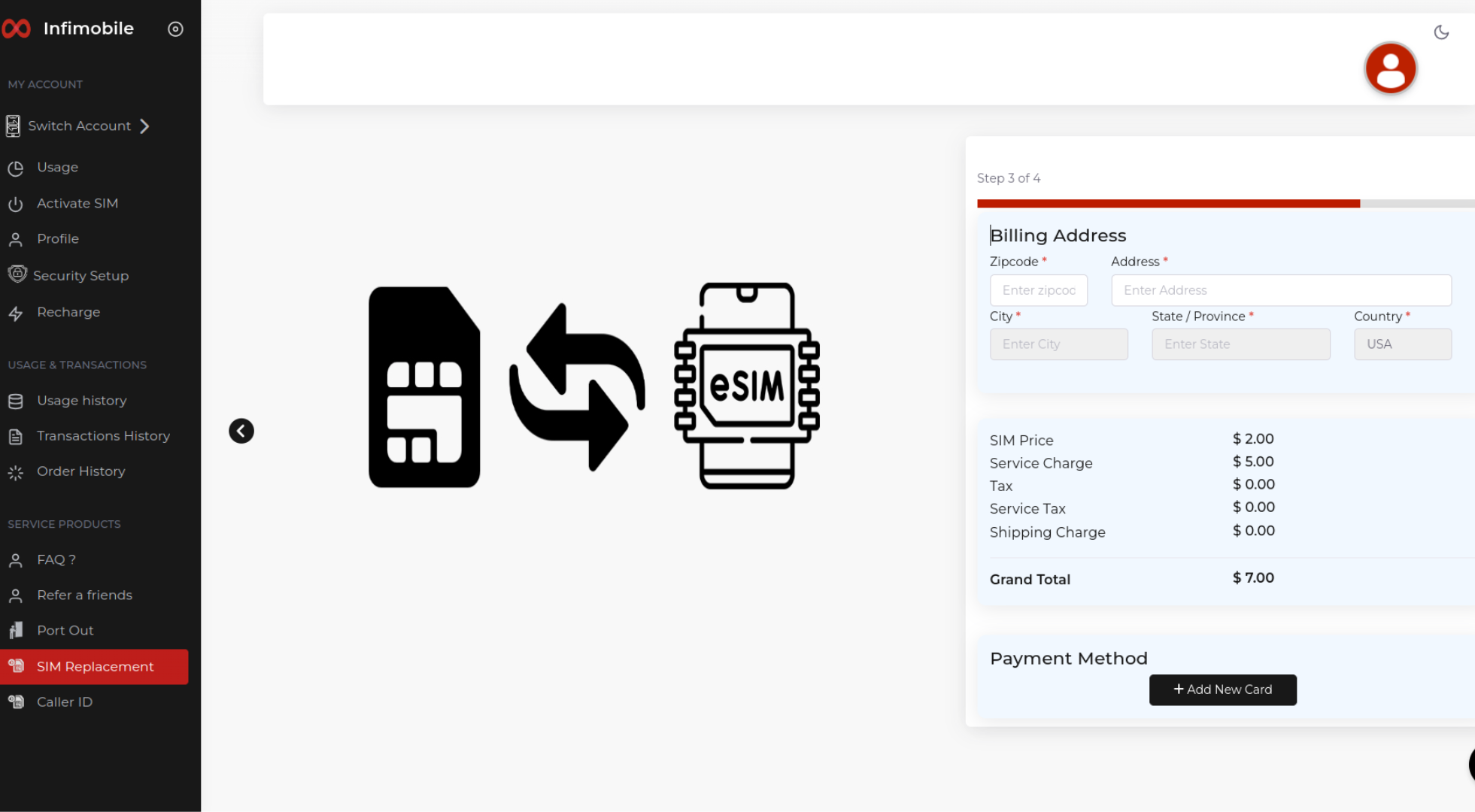
Once the payment is completed, the process will be finalized, and the QR code will be sent to your email for activation . Scan the QR code to activate the eSIM on your device and enjoy uninterrupted services.
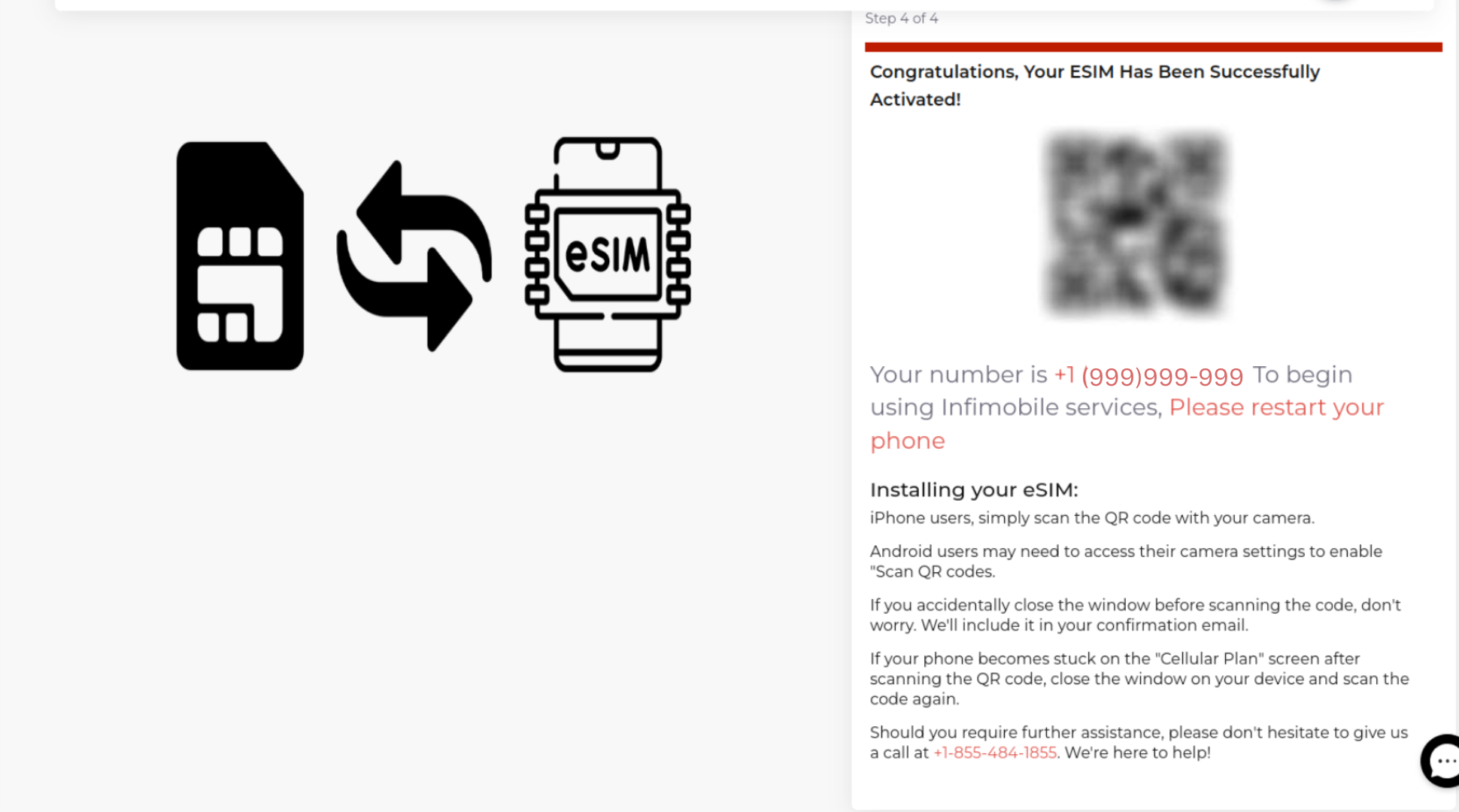
With this process, you can effortlessly move from pSIM to eSIM without any hassle.
Need Help?
If you encounter any issues during the replacement process, feel free to reach out to our customer support (855) 484-1855 / (855) 686-0102 or email support@infimobile.com for assistance.