
How do I sign into my account?
Simply go to the infimobile and click "My Account " located in the top right corner. Log in using your registered email ID—the same one you used when setting up your Infimobile account.
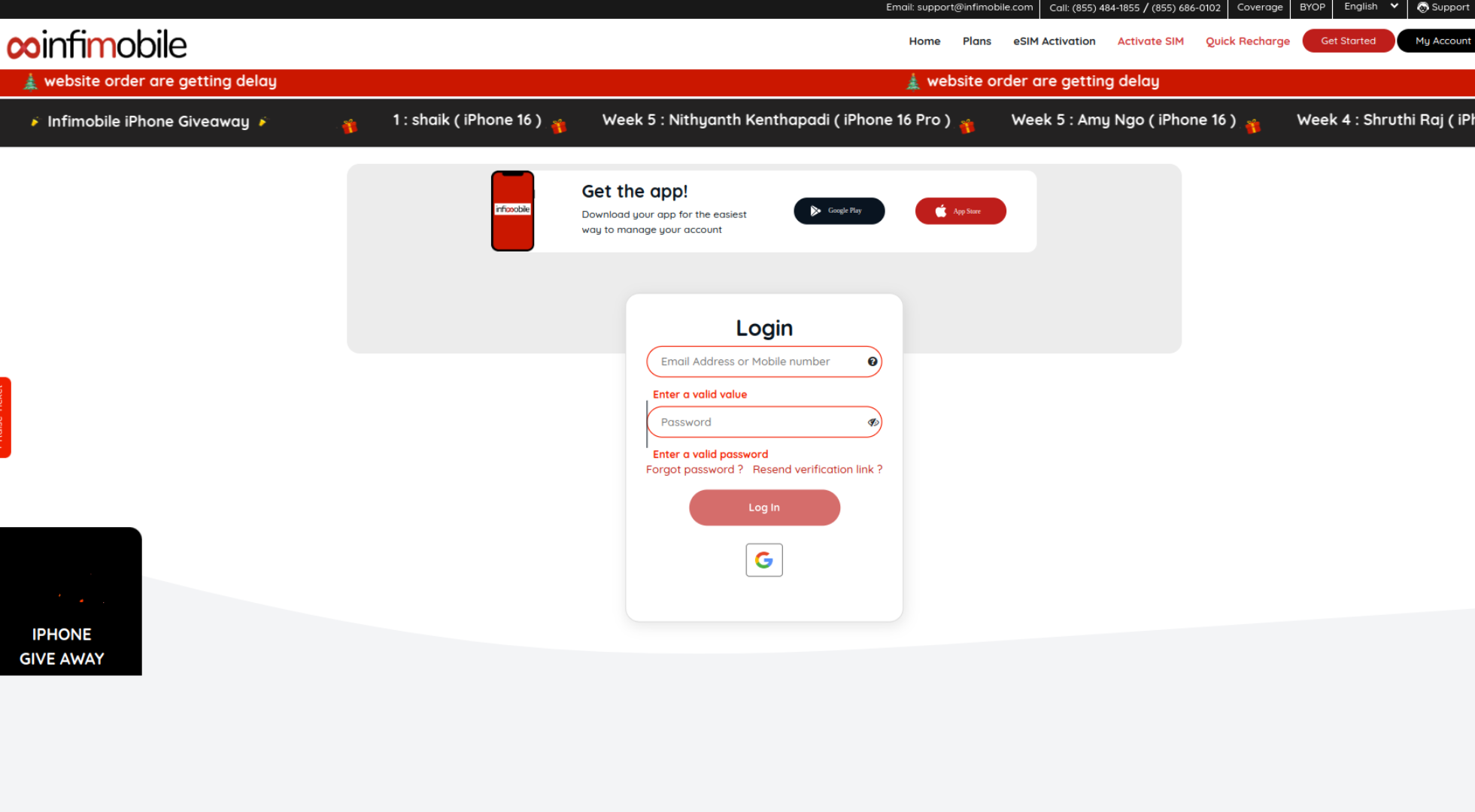
Note that passwords are case-sensitive, so check the Caps Lock key carefully! Make sure there are no spaces before or after the password as you type. Please input your password manually, adhering to the specified requirements.
Forgot Your Password? Here’s What to Do
Step 1 : If you’ve forgotten your password, click on "Forgot Password", then enter your registered email and mobile number, and click "Reset."
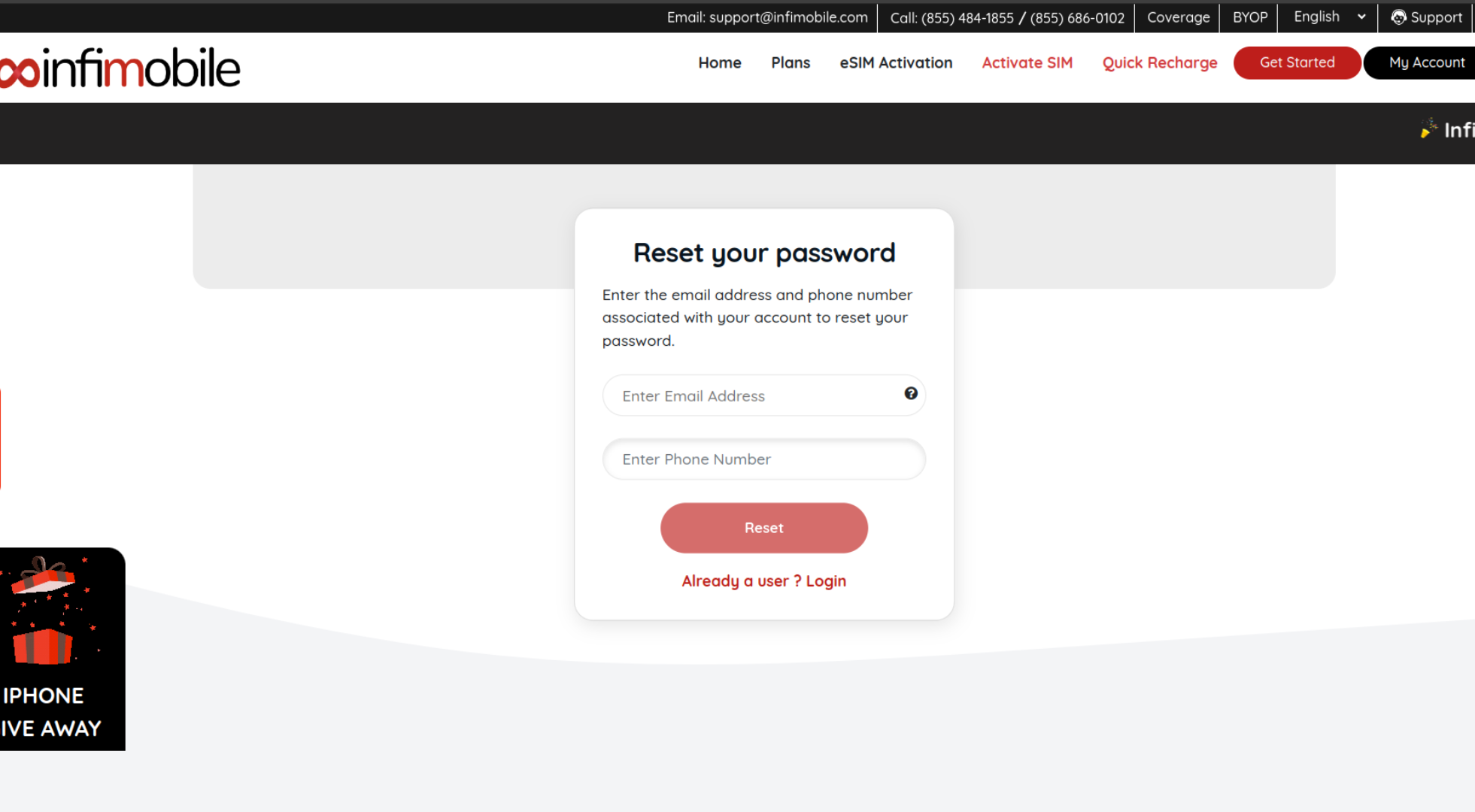
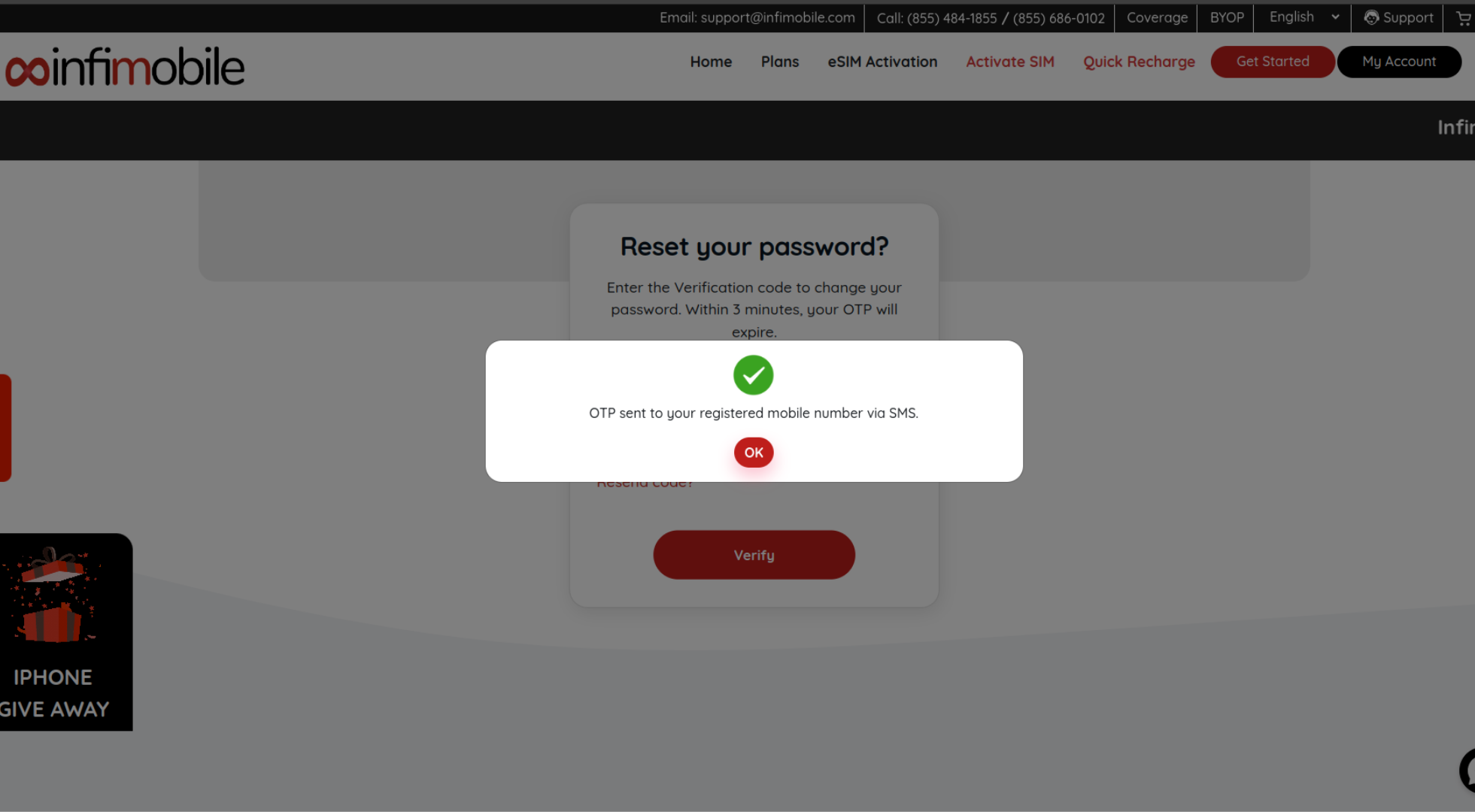
Step 2 : An OTP will be sent to your registered email. Please enter the OTP and click "Verify" .
Step 3 : Next, type in your new password following the specified requirements and click "Update" to successfully update your password.
Need Help?
If you still haven’t received an email, feel free to contact our customer support team through chat, by calling (855) 484-1855 or (855) 686-0102, or by emailing support@infimobile.com.