
Physical SIM Activation – Bring your Number
To activate your new physical SIM, follow the steps below:
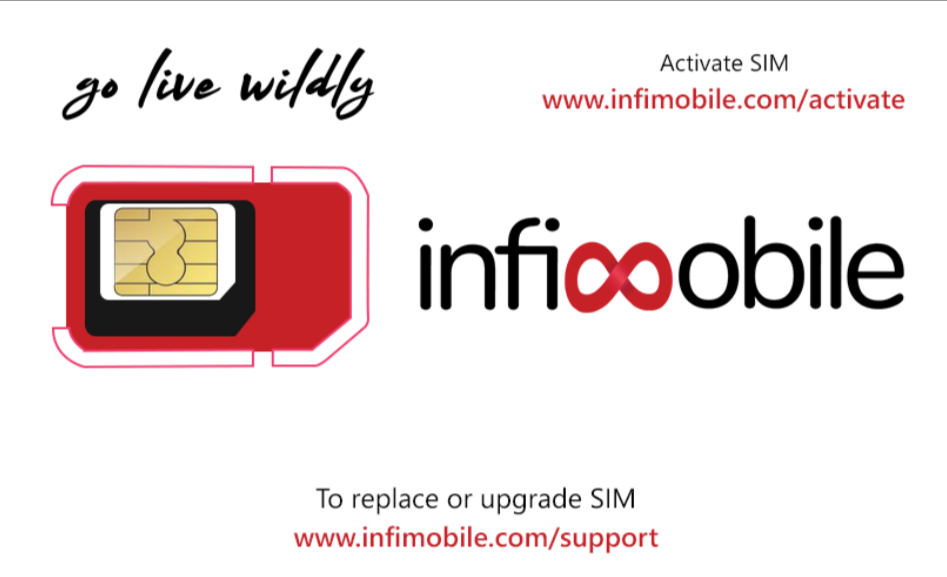
Step 1: Ensure You Have the SIM
Make sure you’ve received the physical SIM before proceeding.
Step 2: Visit the Activation Page
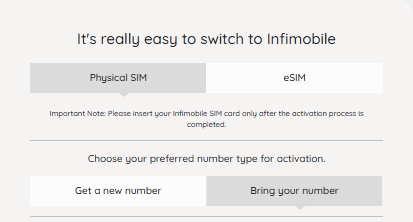
1. Go to our website and click on “Activate SIM.”
2. Under the activation options, select “Physical SIM.”
3. Choose “Bring your number.”
Step 3: Enter the Required Details
1. ICCID: Enter the ICCID number (printed on the SIM card) in the “Enter the ICCID” field.
2. Activation Code: Enter the activation code (also printed on the SIM card) in the “Enter the Activation Code” field.
3. IMEI1: Enter the IMEI1 number of the device where the SIM will be activated. To find this, dial *#06# on your device.
4. ZIP Code: Enter your ZIP code in the “Enter the ZIP Code” field. Your new number will be assigned based on this ZIP code.
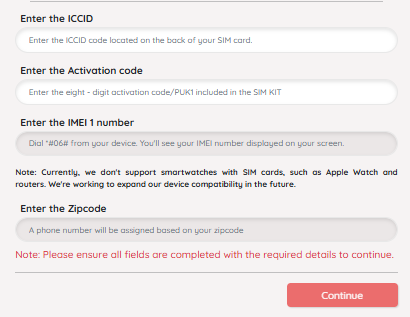
Once you’ve filled in all the fields, click “Continue” to proceed.
Step 4: Bring Your Number Form.
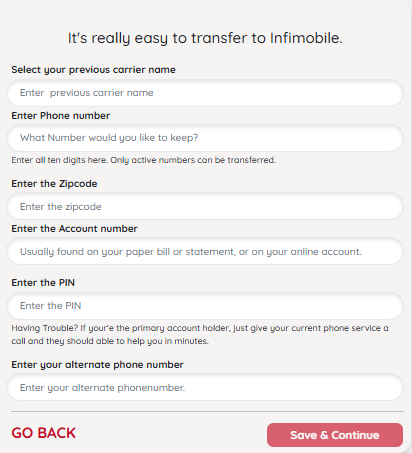
• Now you will need to provide the details of your Number.
• Select your previous carrier name: Name of your Provider.
• Enter Phone number: Provide your Number
• Enter the Zip code: Zip code as linked with your Provider.
• Enter the Account number: Account number with your provider
• Enter the PIN: PIN linked with your Provider
• Enter your alternate phone number: Just in case if we need to contact you.
Once all the details have been added click on “Save & Continue”.
Step 5: Create an Account (If Needed)
• If you have already create an account just confirm the details and click on “Save & Continue”.
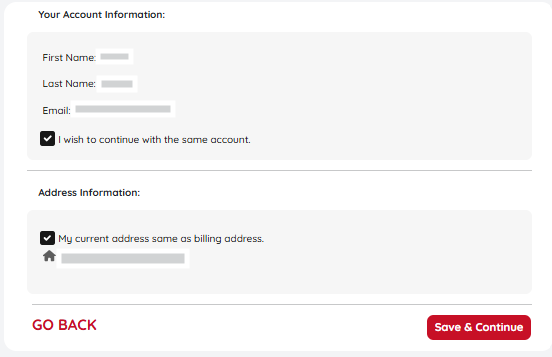
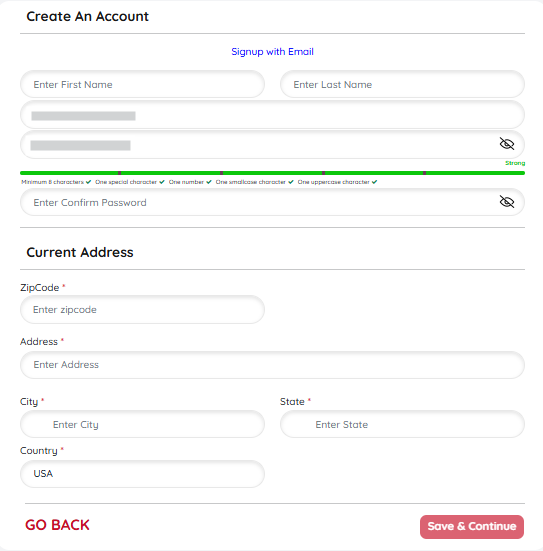
If you don’t already have an account, you’ll be prompted to create one:
1. Enter your first and last name.
2. Provide your email address and set a password.
3. Update your address and check the box to confirm this as your emergency address (E911).
4. Accept the Terms & Conditions and click “Save and Continue.”
Step 6: Optional Add-Ons
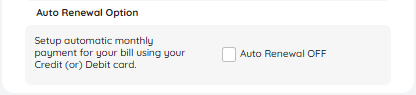
On the next page, you can:
• Turn on Auto-Renewal for uninterrupted service.
Step 7: Referral Code
• If you have a referral code you can add it now, So that you and the Referrer will get $10 bonus added to the Infimobile wallet.
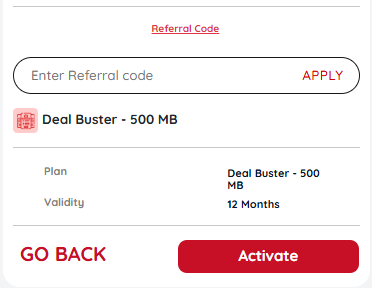
Complete these steps and finish the activation process by clicking on “Activate”.
Step 8: Confirmation
After activation, you’ll receive a confirmation email and SMS with your assigned phone number.
Step 9: Insert Your SIM
Insert the Infimobile SIM card into your phone with the logo facing up, and you’re all set!